
MuleSoft Platform Assessment to Maximize MuleSoft’s Potential
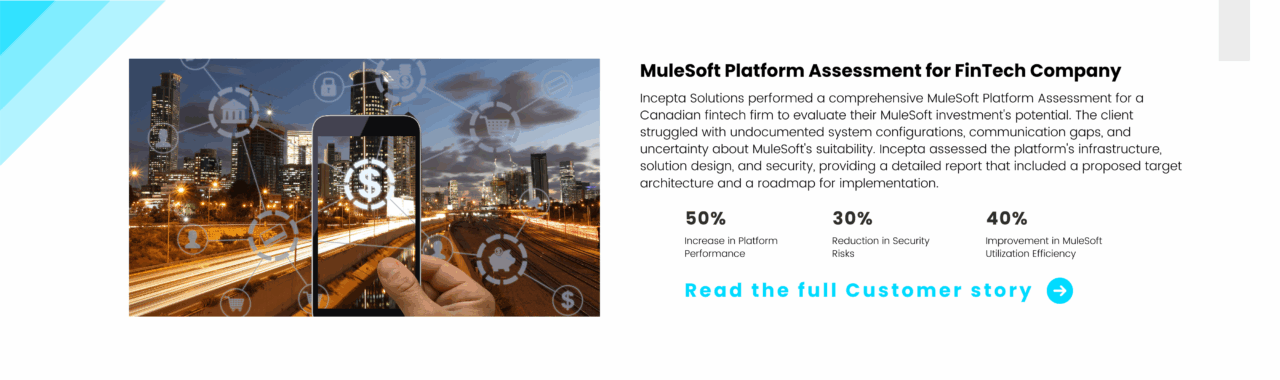
Our client, a Canadian fintech company, had invested in the MuleSoft platform but could not utilize its full potential and was unsure if it was the right tool to solve the business challenges they were facing. We conducted a MuleSoft Platform Assessment (MPA) for the client to address whether MuleSoft was the right tool for their needs, identified security concerns, and evaluated the current and target state of their architecture.

- We assessed if the client was getting value from their MuleSoft investment.
- Evaluated whether MuleSoft was the right tool for their specific needs.
- Identified any major security concerns within their MuleSoft platform.
- We developed a vision for their target state and ensured a clear roadmap was in place.

- Canadian fintech company
- Leading provider of sales financing and payment solutions
- 10+ years in business providing fast and flexible financing solutions
Our client is a Canadian sales financing company founded in 2013 with the mission to become the leading provider of point-of-sale financing and payment solutions for businesses across Canada.
Industry: FinTech

- Lack of written documentation about the existing system
- Key resources who designed and set up the platform were not available
- Communication gap within the client IT teams
The client had invested in the MuleSoft platform some years back but was not sure whether they are utilizing its full potential, wondering if the application designed using MuleSoft had the correct logic and whether they had picked the right platform. The client also wanted to know if MuleSoft is the right tool for specific use cases.

Incepta MuleSoft Platform Assessment (MPA)
We offer the client our industry-proven solution i.e. MuleSoft Platform Assessment (MPA), a thorough evaluation that helps organizations identify gaps, assess their current status, evaluate security risks, and pinpoint areas for improvement in MuleSoft integrations. Our innovative solution analyzes infrastructure, API design, and API security, incorporating MuleSoft’s best practices and standards.
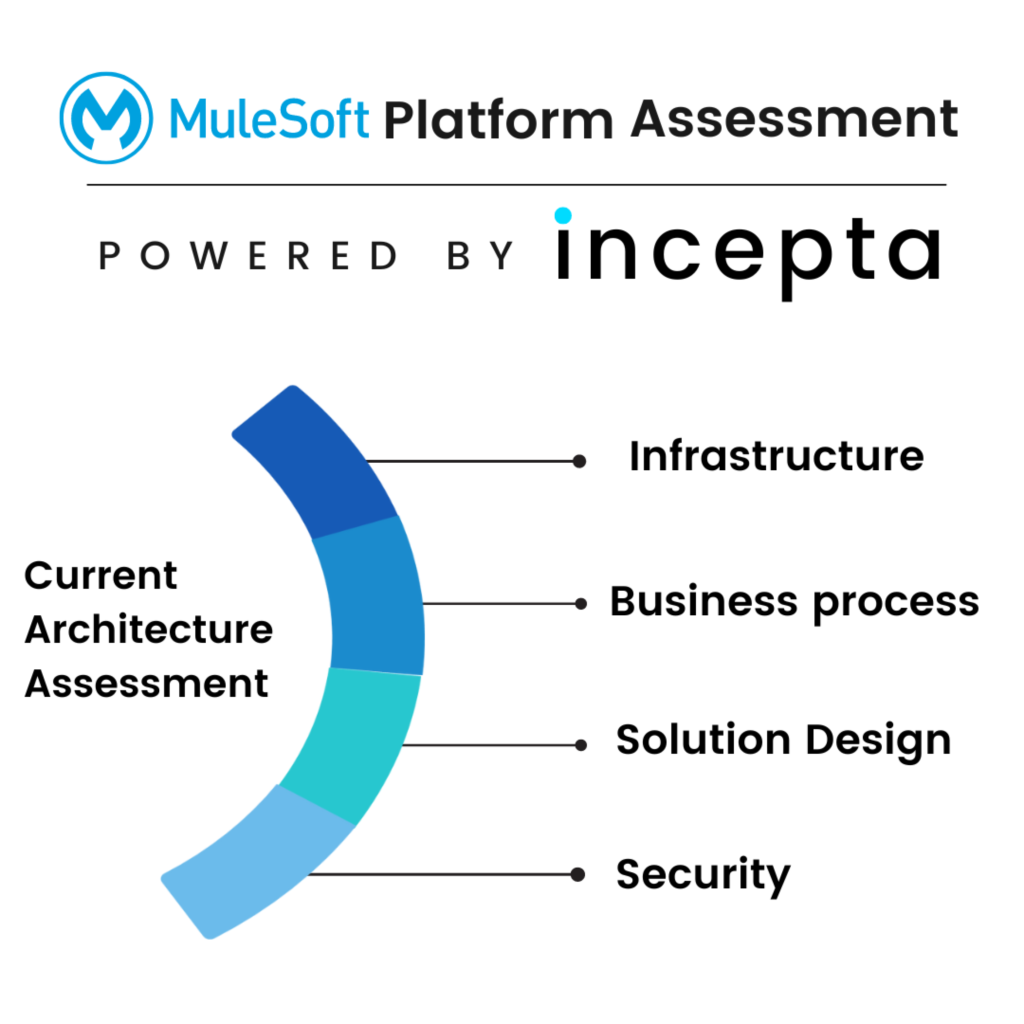
Fig 1 – What is Incepta MPA
As seen in the image above, Incepta provided an outcome-based assessment of the client’s MuleSoft integration platform across the following areas –
- Infrastructure
- Business Process
- Solution Design
- Security
For each of the 4 areas, Incepta provided an assessment of the current state, defined the target state, and the roadmap to the target state based on industry best practices.
Each of the areas has a 20-point evaluation organized under the following heads-
- Observations – Familiarize and understand overall business processes, environment, and implementations
- Assessment –Validate understanding, assess environment against best practices, identify shortcomings and potential risks, if any
- Recommendations – Recognize possible improvement areas and provide recommendations
- References – Provide reference to industry standards and best practices
The final assessment report provided a complete picture of the current system to the client.
Learn more about the MuleSoft Platform Assessment value proposition we offer
Incepta’s Core Responsibilities:
- Performed a thorough MuleSoft Platform Assessment
- Developed and proposed a target architecture
- Provided a roadmap for achieving the future state
- Offered recommendations on best practices and security improvements
Technology Used:

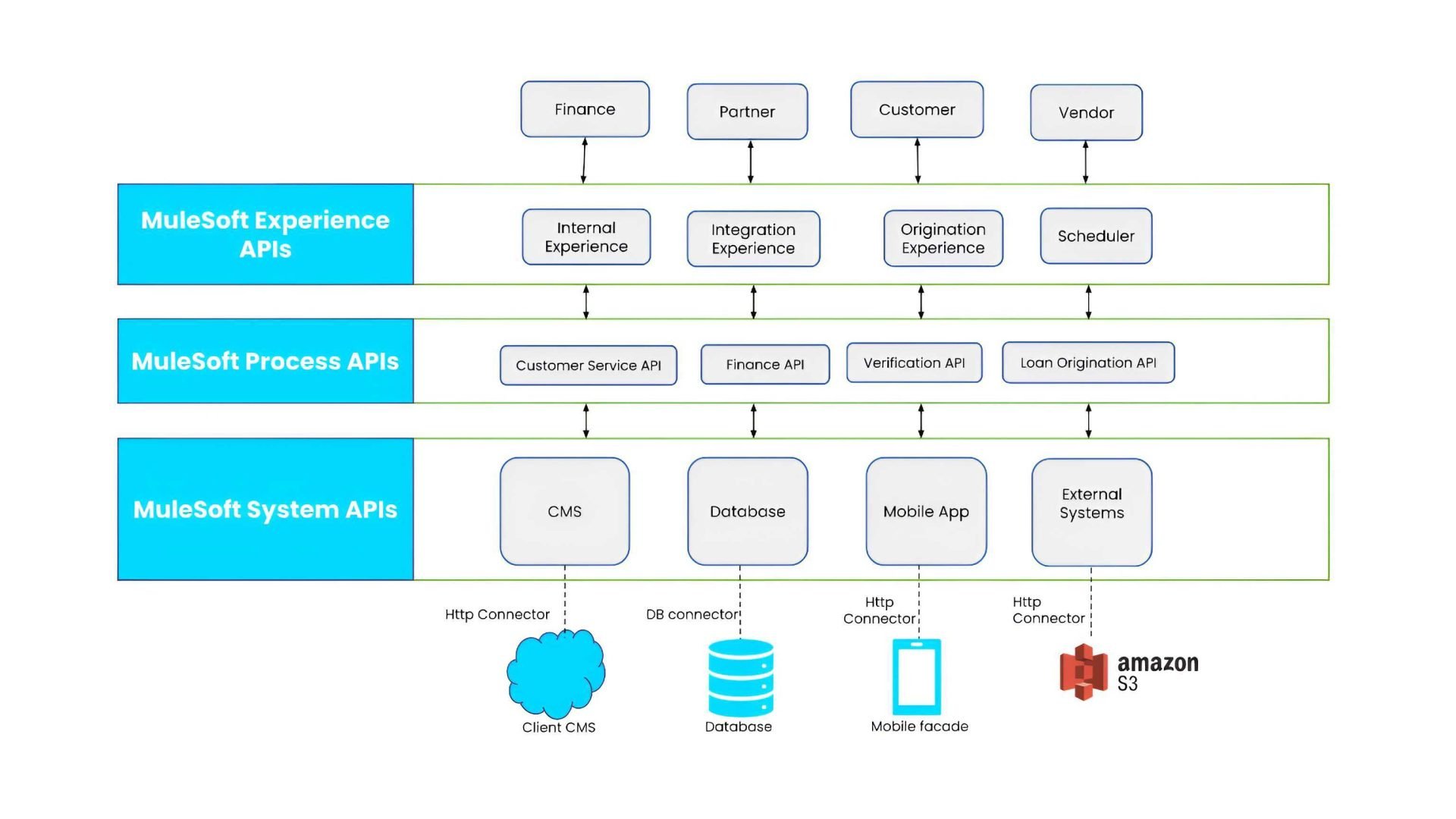
Incepta MPA provided the consolidated report with detailed feedback, target architecture, and a roadmap to achieve the future target state. See the proposed target architecture below-
Incepta provided the following deliverables for the project-
- Analysis and assessment of the MuleSoft environment hosted on Azure cloud
- Recommended target state for architecture, integrations, and the overall platform
- Proposed migration plan to achieve the target state
- Suggestions on MuleSoft best practices to improve software delivery, risk management, program management, and change management
MuleSoft Best Practices to follow
We suggest organizations use industry best practices while designing and building MuleSoft applications such as:
- Define a project structure to maintain a clean, structured, and readable project in Anypoint Studio
- Use functions, and local/global variables in Transform messages to enforce DRY
- Add descriptive code comments for any complex transformations in Transform messages.
- To keep all Mule XML files neat and tidy, move all Connector Configurations/Global Elements into a separate ‘global-config.xml’ file
- Define and use file naming convention
- Update to the latest version of MuleSoft Anypoint Studio
- Add indentation and format to all your XML files
- Include the Mule Maven plugin for automated deployment
[sidebar name=”Lead generation automation”]