
Most of a Salesforce implementation in financial services gets decided long before anyone configures a screen. The calls that matter most are about your org strategy, your regulators, where your data lives, security, integration, and how you’ll use AI agents.
This guide is written for technology leaders at banks, credit unions, wealth managers, insurers, and lenders. It also works if your firm already runs Salesforce in one part of the business and you’re thinking about doing more with it.
The 10 Considerations at a Glance
You can use this list as a Salesforce implementation checklist before you sign a statement of work:
- Starting point: Figure out whether you’re implementing, extending, or consolidating orgs.
- Products: Buy the products you actually need, not the whole catalog.
- Regulators: List every rule that touches client data before design starts.
- Data residency: Find out where each product you buy will store your data.
- Security: Plan for encryption, audit history, and activity logs from day one.
- Integration: Choose how each connected system will sync with Salesforce.
- Data migration: Clean your data and give it owners before you move it.
- KYC and onboarding: Design the whole journey, including how documents come in.
- AI agents: Set permissions and human review before any agent goes live.
- Ownership: Decide who will run the platform once you’re live.
Most guides to Salesforce for financial services explain how to build the product. This one focuses on what to decide first. These Salesforce implementation best practices work whether you run a bank, a wealth firm, or an insurer.
1. Are You Implementing, Extending, or Consolidating?
A lot of financial institutions already run Salesforce somewhere. Maybe your wealth team uses it while retail banking doesn’t, or a company you acquired brought its own org along. Your starting point shapes the whole implementation, so it’s worth naming it before anything else.
Three Starting Points, Three Different Projects
- Net-new. If you don’t use Salesforce today, most of your effort will go into design and data.
- Extension. If Sales Cloud or Service Cloud is already live, you’re adding the financial services product on top. Changing your data model is the hard part.
- Org consolidation. If you run two or more orgs, often one per business line or acquisition, the real work is lining up users, permissions, and records.
If you’re not sure which one fits, start with an inventory of what your existing orgs actually hold. It’s a lot cheaper to learn that before you sign a statement of work than after.
Single Org or Multi-Org
Separate orgs can make sense when your entities need strict legal walls between them, or when their work has little in common. One org usually wins when clients cross business lines. Advisors get one view of each client, and you stop paying to run the same setup twice.
That’s our view rather than a Salesforce rule, and org consolidation is very doable. We merged a national Canadian logistics company’s two Salesforce orgs into one, in phases, so their sales team kept working and no data was lost. It wasn’t a bank, but a multi-org bank would follow the same steps.
2. Which Salesforce Products You Actually Need
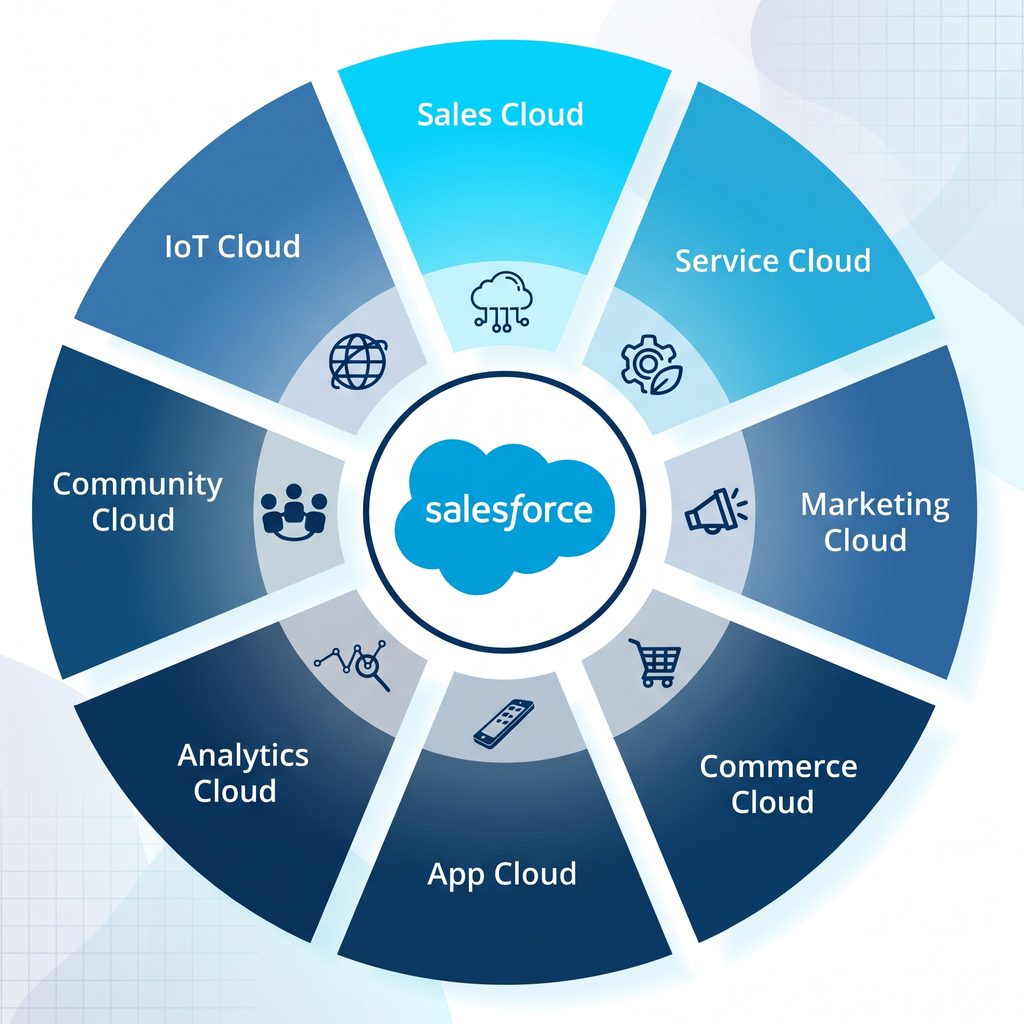
When people say “Salesforce for financial services,” they usually mean the whole portfolio a firm might buy. That includes the industry customer relationship management (CRM) system along with data, integration, security, and AI tools.
Financial Services Cloud (FSC) is one product inside that portfolio. Salesforce now calls it Agentforce Financial Services, formerly known as Financial Services Cloud, so if you see both names, they mean the same product.
FSC sits on top of Sales Cloud and Service Cloud and adds a financial data model with households, financial accounts, and relationship views. If you need those, it’s the right CRM for financial services. If your team only tracks a sales pipeline, though, it may be more than you need.
| If you need to… | Look at | Where this guide covers it |
| See households, financial accounts, and relationships in one place | Financial Services Cloud (Agentforce Financial Services) | This section |
| Run service cases, complaints, and disputes | Service features inside the industry CRM | Consideration 8 |
| Unify client data from many systems for analytics or AI | Data 360 (formerly Data Cloud) | This section |
| Connect core banking, lending, and custodian systems | MuleSoft or another integration layer | Consideration 6 |
| Encrypt fields, keep long audit history, and log user activity | Shield | Consideration 5 |
| Put agents to work on service or advisor tasks | Agentforce | Consideration 9 |
This article stays at the decision level. When you’re ready for the build itself, see the build-level walkthrough of the FSC data model, phases, and cost. And if unified data for analytics or AI is on your list, it helps to know what changed when Data Cloud became Data 360.
3. Map Your Regulators Before You Map Your Fields
It’s easy to assume that because Salesforce holds security certifications, your firm is covered. It isn’t. Salesforce describes a shared responsibility model for security. It secures the infrastructure, and you set up the controls on top, like multi-factor authentication (MFA), permission sets, and login limits.
That’s why compliance should start with a simple list. Before design begins, write down every rule that touches client data for each line of business, and turn each one into a setup requirement. Then ask your compliance team to sign off on that list early, instead of on screenshots a week before launch.
The table below shows what some common rules ask of a CRM. It’s a general overview rather than legal advice, so your compliance and legal teams should decide what applies to you.
| Rule | Who it reaches | What it asks for that touches Salesforce |
| Federal Trade Commission (FTC) Safeguards Rule, under the Gramm-Leach-Bliley Act (GLBA) | Non-bank financial institutions, such as lenders, mortgage brokers, and some investment advisors | Encryption at rest and in transit, MFA, logs of user activity, oversight of service providers, and a written security program |
| Financial Industry Regulatory Authority (FINRA) Rule 4511 | Broker-dealers | Keep required books and records, for six years where no other period applies, in a format that meets Securities and Exchange Commission Rule 17a-4 |
| Model risk guidance | US banks | Applies to models, which matters once AI agents arrive. See consideration 9 |
| Sarbanes-Oxley Act (SOX) | Public companies where CRM data feeds financial reporting | Change control and access evidence for systems in scope |
| Office of the Superintendent of Financial Institutions (OSFI), the Financial Transactions and Reports Analysis Centre of Canada (FINTRAC), and Quebec’s Law 25 | Canadian federally regulated institutions, and firms with Quebec clients | Covered in our FSC implementation guide |
Banks follow a similar set of interagency guidelines under the same law. Those guidelines also call for protecting customer information and keeping an eye on service providers. Since Salesforce is a service provider, your vendor review belongs on the compliance list too.
This is how we design for regulated banking workloads: rules first, fields second. A rule that turns up after design means rework, and a rule that turns up after launch usually means an audit finding.
4. Decide Where Your Data Lives
Data residency simply means where your data is stored. Salesforce’s Hyperforce platform lets you choose the regions where your Salesforce apps run. Your customer data generally stays in your org’s country, as long as the products you use are offered there. Choosing a region doesn’t add any cost.
There’s one catch to watch for. Salesforce notes that some products have parts in other countries or depend on integrations that aren’t on Hyperforce yet. So ask where each product you’re buying runs, instead of only asking where “Salesforce” runs.
This matters most for cross-border firms, like a US firm with Canadian clients or a Canadian firm with US operations. Salesforce brought six offerings to Hyperforce in Canada in January 2025, including Data Cloud, MuleSoft, and Tableau. Check that list against the products you plan to buy.
Keep your integrations in mind too, because data copied into middleware, a data warehouse, or an AI service has its own location. And remember that data residency only decides where your data sits. It doesn’t decide who can read it, which is where security comes in.
5. Plan Security Controls Beyond the Defaults
Encryption is what decides who can read your data, no matter where it’s stored. MFA, permission sets, and Security Health Check come with the standard platform. Shield, though, is a paid add-on, according to the same shared responsibility article. It’s smart to budget for it early instead of finding the gap during an audit.
Salesforce Shield has four parts, and each one covers a different need:
- Platform Encryption protects fields, files, and attachments with 256-bit encryption, and you can bring your own keys.
- Field Audit Trail keeps a history of field-level changes for up to 10 years.
- Event Monitoring logs user and system activity so your security tools can watch it.
- Data Detect scans your org for sensitive data, like personal identifiers and financial details.
It helps to line these up against the rules in consideration 3. The FTC rule asks for encryption and activity logs, and FINRA asks for records kept for years. These features map to those needs, but they won’t make you compliant on their own.
Platform Encryption also comes with tradeoffs. Salesforce warns that some features aren’t available to users of encrypted data. That’s why you should pick the fields to encrypt before you build reports and integrations on them. Then test everything in a sandbox before you turn encryption on in production.
Since Spring ’26, all four tools sit together in one Shield Experience. We covered that change in our recap of the release that put Shield’s tools in one place.
6. Treat Integration as an Architecture Decision, Not a Task
Your core banking platform is the system of record, which means it holds the official balances and transactions. Salesforce is the system of engagement, where your people actually work with clients. Salesforce for banking works best when it shows core data clearly without trying to become the core.
That makes integration the center of your project rather than a line item near the end. Two decisions matter more than the rest.
Real-Time or Batch, System by System
Before you sign, decide how each system will sync with Salesforce. The table shows the patterns we see most often, though they’re our guidance rather than Salesforce rules.
| System | What Salesforce needs from it | Typical pattern |
| Core banking | Balances, accounts, and transactions | Real-time reads for service, batch for history |
| Loan origination | Application status and decisions | Event-driven, near real time |
| Custodian or portfolio platform | Holdings and positions | Nightly batch |
| KYC and AML screening | Identity and screening results | Real-time call during onboarding |
| Document management | Signed forms and IDs | On demand, linked to the client record |
API-Led, Point-to-Point, or iPaaS
There are three common ways to build these connections, and every application programming interface (API) you add will follow one of them:
- Point-to-point connections are quick to set up for one or two systems, but they get hard to change once you have ten.
- API-led design builds reusable layers, so each new connection costs less than the last. It’s how we create an integration layer built once and reused across every system.
- iPaaS, short for integration platform as a service, manages all your connections as one product. Our guide shows how MuleSoft, Boomi, Workato, and SnapLogic compare for this job.
The right choice depends on how many systems you connect and how often they change. On one 2021 project, we delivered more than 200 fields mapped across eight systems for one bank process in four months.
Keep in mind that every API carrying client data is part of the compliance scope from consideration 3. That’s why we recommend planning for locking down the APIs that carry client data from the start, rather than after your first security review.
7. Budget Real Time for Data Migration and Data Quality
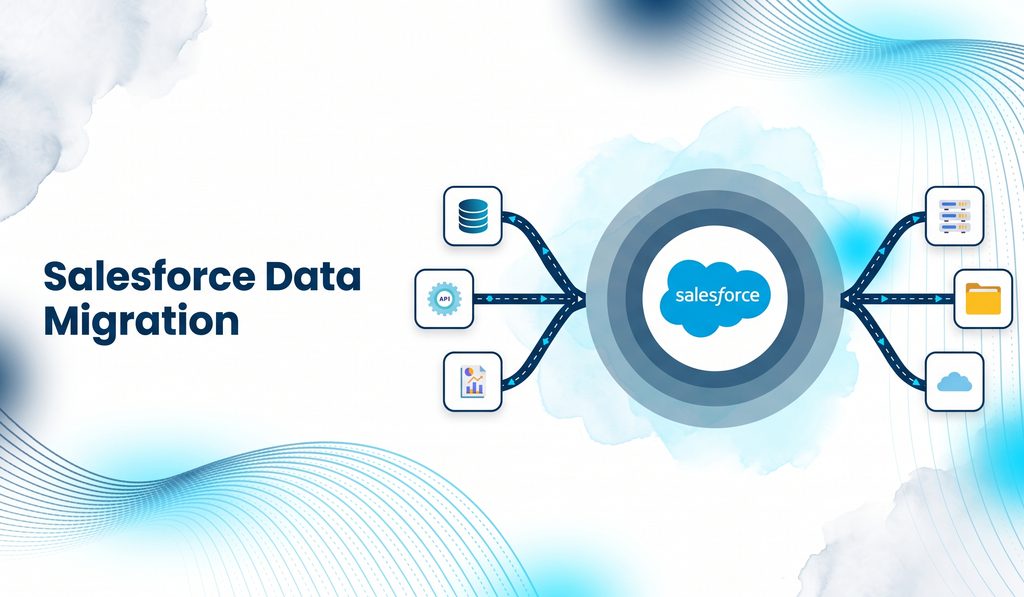
Data migration is where a lot of timelines slip. Decide early what will move, like clients, households, accounts, and service history, and what will stay behind in the old system as an archive.
Then clean your data before you load it. Duplicates and messy formats in your old system will simply become duplicates and messy formats in Salesforce, and agents will read them too. Naming an owner for each type of data before data migration starts is data governance in its simplest form.
When it’s time for the cutover, freeze the old system, run a final load of recent changes, and check that your record counts match. It works best as planned, validated migration off legacy CRMs, not a weekend task someone squeezes in before launch.
8. Design KYC and Onboarding End to End, Including Document Intake
Know your customer (KYC) checks often show up as a single box on a project plan, but they’re really a full journey. That journey runs from the application and document collection through identity and screening checks, risk rating, approval, account opening, and periodic review.
As you map it out, decide which steps live in Salesforce and which ones call out to other systems. Cases, tasks, approvals, and the client view usually sit in Salesforce, while screening and core account opening usually don’t. This is where the integration table in consideration 6 really pays off.
Document intake is often the slowest step, because IDs, statements, and forms arrive as images and PDFs that someone has to retype. Intelligent document processing pulls the data out and attaches it to the client record for review. It’s one way to start cutting manual steps out of KYC, AML, and account opening, where AML stands for anti-money laundering checks.
Even with automation, keep a person in the loop for risk decisions. The system can collect and route the information, but people should make the call. It also helps to schedule KYC refreshes as real work in Salesforce. That beats relying on a spreadsheet someone has to remember to open.
9. Set AI Agent Guardrails Before You Switch Agentforce On
AI agents work with whatever access you give them. If your permissions are loose, the agent’s permissions will be loose too, and if your data is messy, you’ll get wrong answers. That’s why governance for agents needs to start before the first one goes live.
Salesforce lays out who does what in its agent security and shared responsibility guidance from February 2026. Salesforce covers the platform, audit logging, and the Einstein Trust Layer, which keeps zero data retention and screens for toxic content and prompt injection. The rest is up to you.
Here’s what falls on your side of the line:
- Least privilege: Give each agent its own user with only the permissions it needs.
- Approved actions only: Limit agents to set topics and actions, like Flows, Apex, or APIs.
- Monitoring: Review agent and user activity, and consider Shield Event Monitoring and Field Audit Trail for more detail.
- Human-in-the-loop: Have a person approve any custom actions before they run.
Model risk is the other big question. In the US, three bank regulators replaced SR 11-7 with SR 26-2 on April 17, 2026: the Federal Reserve, the Office of the Comptroller of the Currency, and the Federal Deposit Insurance Corporation. SR 26-2 matters most for banks with more than $30 billion in assets.
In Canada, OSFI Guideline E-23 takes effect May 1, 2027. Its definition of a model includes AI and machine learning methods, and it covers vendor models too. Ask your model risk team early whether an agent counts as a model under your policy, since that’s their call and not your vendor’s.
It’s best to start with high-volume, low-risk tasks that have clear limits. For a quick self-check, try a 12-question check of whether your org is ready for agents. Our team focuses on building agents with permissions and logging set from day one. We also keep track of which financial services agent use cases are working this year.
10. Decide Who Owns the Platform After Go-Live
With Salesforce for financial services, go-live is the start rather than the finish. The platform keeps changing after launch, so someone needs to own that change.
Owners, a Backlog, and a Small Center of Excellence
Decide who approves changes, who owns each integration, and who reads Salesforce’s release notes, since some updates need an admin to switch them on. A center of excellence doesn’t have to be big. Three people meeting twice a month is enough governance for most teams.
It also helps to run one intake queue and one backlog, so requests from every business line compete in the same place. Our admin guide lays out a quarterly routine for keeping an org healthy once you’re live.
Set Baseline Metrics Before Launch
Measure where you are before launch so you can show what changed afterward. Good baselines include onboarding cycle time, how long it takes to answer a client request, manual rekeying steps, and audit findings. Treat these as examples to adapt rather than benchmarks to hit.
If you’d like an outside view later on, here’s what an outside platform review looks at, step by step.
How to Pressure-Test an Implementation Partner
Most Salesforce implementation challenges in financial services come back to two things: how well the project was scoped and how well the partner fits. Before you sign, ask these four questions:
- Have you integrated Salesforce with our type of core platform?
- Who on your team has worked under our regulators?
- How do you handle data residency and encryption during design?
- What governance will our team own after go-live?
It’s also worth asking for a reference you can actually call, rather than a slide full of logos. Our guide covers what separates an integration partner from a configuration shop. For the bigger picture, our hiring guide explains when a freelancer, a boutique, or a full partner fits.
How Incepta Helps Financial Institutions Implement Salesforce
We work with financial institutions where Salesforce has to connect to everything else. Here’s where we can help:
- Assess what you have. We review your existing orgs before you extend or consolidate them.
- Design the integration layer. We connect Salesforce to core banking, lending, and your other systems of record.
- Set up agents with guardrails. We put permissions, logging, and human review in place before agents go live.
- Support you after go-live. We back up your team with governance and release support as the platform changes.
How an Online Bank Cut New Hire Onboarding from Two Weeks to Two Days
For an online banking provider in the middle of a hiring drive, we used Workato to connect Salesforce, Google Calendar, DocuSign, JotForm, Azure AD and Slack. Interview feedback landed in Salesforce, offer letters went out through DocuSign, and new hire accounts were created in Azure AD without manual steps .
Onboarding dropped from two weeks to two days. Interview scheduling fell from 10 to 15 minutes to 1 to 2 seconds, and team workload fell by 35%. You can read the full hiring automation story for the step-by-step flow.
It isn’t a core banking project, but it follows the same rule this guide gives: decide how each system connects, then automate that path so every request follows it. If you’re weighing platforms for a similar job, see how Workato and MuleSoft compare.
To see the kind of work we do, browse the integration projects we’ve published.
Make These Decisions Before You Sign
The most expensive mistakes in Salesforce for financial services happen before configuration even starts. If you already run Salesforce, begin with a look at what you have, and if you’re starting fresh, begin with scope. Either way, these Salesforce implementation best practices will save you rework later. When you’re ready, talk through your scope with our team.
Frequently Asked Questions
Can Salesforce replace our core banking system?
No. Salesforce for banking works as the system of engagement, where your people work with clients. Your core banking platform stays the system of record for balances and transactions. Integration connects the two so advisors can see core data inside Salesforce. Before you start, work through these 25 questions to ask before an integration project starts.
How long does a Salesforce implementation take for a financial institution?
A light Salesforce implementation can take a few weeks. A full build with data migration and integration usually runs four to eight months. The difference comes down to scope, like how many systems you connect and how much data moves. Rolling out one business line at a time keeps the risk down.
How much does Salesforce for financial services cost?
The cost has two parts: licenses and implementation. Licenses depend on the products and editions you choose, while implementation cost depends mostly on how much integration and data migration your project needs. If you’re building a budget, our Financial Services Cloud implementation guide is a good place to start. It lists current published prices and breaks down the costs.
Do we need Financial Services Cloud, or is Sales Cloud enough?
If you need households, financial accounts, and relationship views, Financial Services Cloud is the better fit. It’s now called Agentforce Financial Services, and it adds those features on top of Sales Cloud and Service Cloud. If your team only tracks a sales pipeline, Sales Cloud may be enough, so decide based on how you serve clients.
Is Salesforce compliant with FINRA or GLBA rules?
Compliance with FINRA or GLBA rules is shared between you and Salesforce. Salesforce secures the platform and holds its own certifications, but your configuration, access controls, and record keeping decide whether your firm meets each rule. Treat this as general information rather than legal advice, and have your compliance team map each rule to specific settings.
Where is our Salesforce data stored?
On Hyperforce, your customer data is generally stored in your org’s country when the products you use are available there. Some products have parts in other countries or depend on integrations that aren’t on Hyperforce yet, so check data residency product by product. Remember that middleware and AI services store data too.
Do we need Salesforce Shield?
Plan for Salesforce Shield if you need to encrypt fields with your own keys, keep field history longer than the standard limit, or log user activity for security monitoring. Most regulated financial services firms at least evaluate it. Since it’s a paid add-on, put it in the budget before design starts rather than after an audit.
What are the biggest Salesforce implementation challenges in financial services?
The biggest challenges are usually integration with core systems, data quality, and decisions about regulators, data residency, and security that get made too late. Each one is much cheaper to settle before you sign a statement of work. If your client data lives in many places, start by connecting the systems your client data is spread across.