
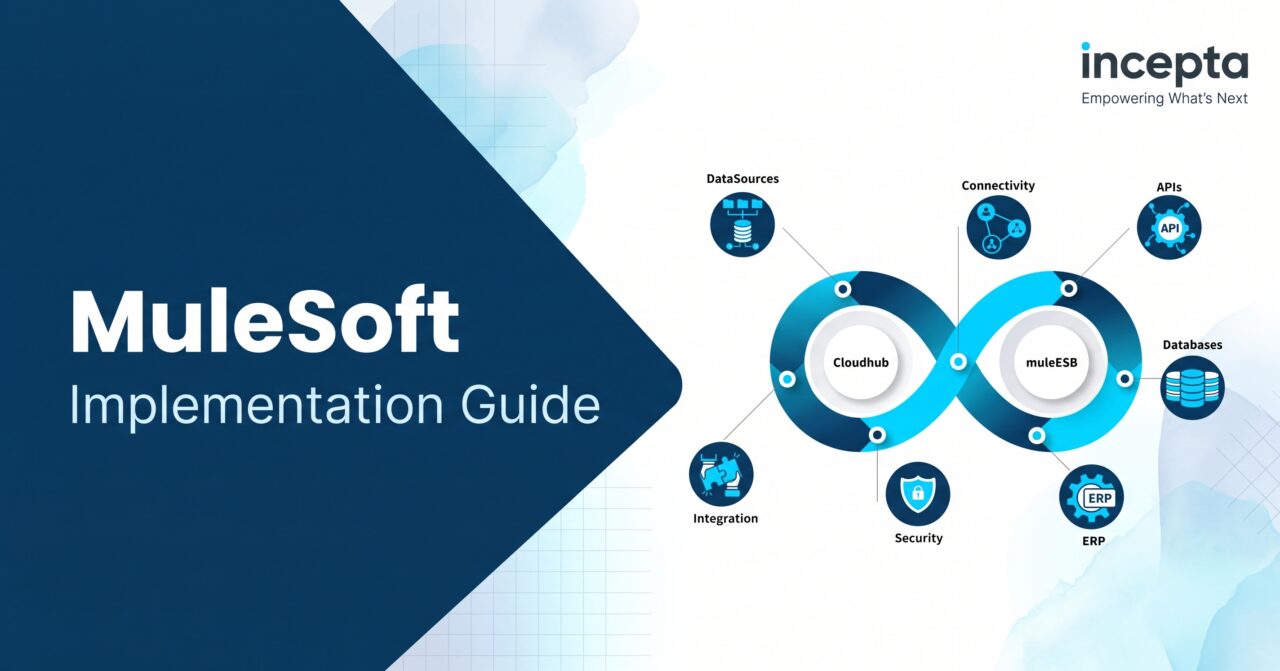
A MuleSoft implementation is the program that takes Anypoint Platform from a signed contract to working integrations in production. It covers platform setup, shared standards, your team, and the first set of APIs, which is where the payoff that leads enterprises to choose MuleSoft really starts.
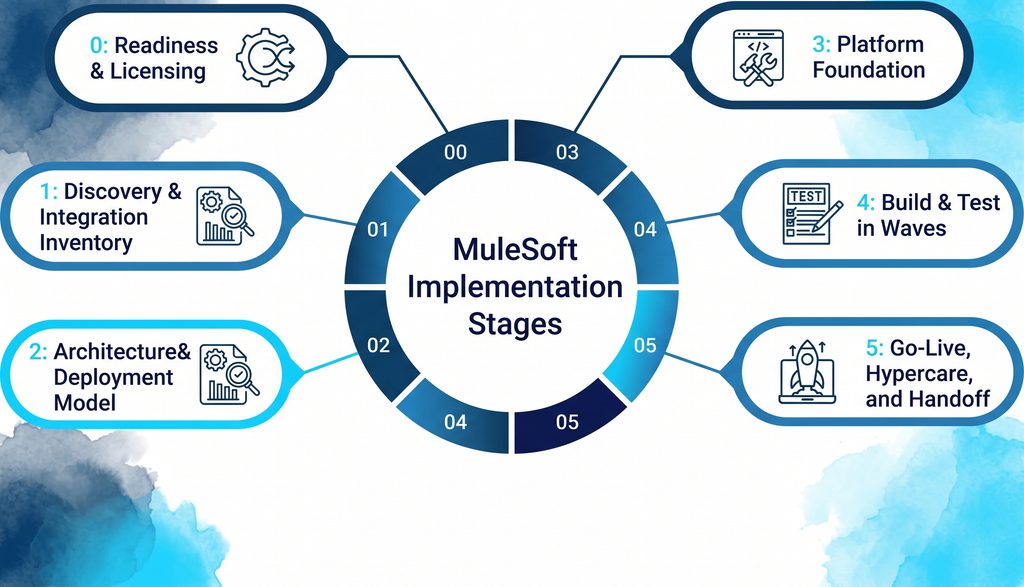
Most implementations move through six phases: readiness, discovery, architecture, platform foundation, build and test, and go-live. On a typical timeline, a first pilot API can be live in about four weeks when access is ready, as with Incepta’s four-week MuleSoft onboarding package. The biggest risk is not the build. It is skipping discovery and governance, then rebuilding later.
What a MuleSoft Implementation Includes (and What It Doesn’t)
A MuleSoft implementation is bigger than your first integration. A single integration project, like syncing orders from Salesforce to your enterprise resource planning (ERP) system, is one piece of work. The implementation is everything that piece runs on, and getting that base right is what makes later projects cheaper.
Here is what a full MuleSoft implementation usually covers, whether you build it yourself or work with a team that handles enterprise integration from start to finish:
- Anypoint Platform setup, including environments, business groups, and user access
- A deployment model, such as CloudHub 2.0 or Runtime Fabric
- Security policies, a continuous integration and continuous delivery (CI/CD) pipeline, and shared design standards
- The first wave of working application programming interfaces (APIs), plus monitoring and alerts
- Training, so your own team can run the platform after launch
It also helps to know what an implementation does not cover. It won’t clean your source data, redesign your business processes, or set up the apps on either end. Those jobs still have to get done, so give each one an owner early. A platform check that spots these gaps before the build can save you weeks.
The need for this work is real. MuleSoft’s 2026 Connectivity Benchmark Report found that the average organization runs 957 applications, yet only 27% of them are connected. That gap is why so many teams are weighing which integration platform fits them best and starting MuleSoft programs.
Which Kind of MuleSoft Implementation Are You Running?
Not every MuleSoft implementation starts from the same place. Some teams are brand new to the platform, while others are moving off older tools or fixing a project that stalled. Knowing which one you’re in shapes your implementation plan. A migration we ran for a retail brand across several clouds shows how different that starting point can be.
| Type | Where you start | Biggest risk | First thing to deliver |
| Greenfield | You just bought MuleSoft, and integrations are manual or point-to-point | Designing for the first project instead of the whole platform | Platform foundation plus one pilot API |
| Migration from older middleware | Integrations run on TIBCO, BizTalk, Informatica, or custom code | Copying old point-to-point logic into a new tool | A list of every interface, marked migrate, rebuild, or retire |
| Upgrade within MuleSoft | Apps run on Mule 3 or CloudHub 1.0 | Treating it like a simple version bump and missing runtime, Java, and network changes | An upgrade assessment and a wave plan |
| Rescue | A project stalled or went live with problems | Adding more APIs on a weak foundation | A platform audit with a fix-first list |
Migrations need extra care. You can run MuleSoft alongside your old middleware and move one interface at a time, which keeps risk low. Teams leaving Informatica, for example, often follow a phased path off PowerCenter instead of switching everything over in one weekend.
Upgrades are easy to underestimate. Moving from Mule 3 to Mule 4, or from CloudHub 1.0 to CloudHub 2.0, changes runtimes, Java versions, networking, and even DataWeave scripts. This guide covers the Java 17 changes in a CloudHub 2.0 move, and a wave-by-wave Mule 4 migration shows how to keep the business running during the switch.
The Six Phases of a MuleSoft Implementation
MuleSoft has its own delivery method, called MuleSoft Catalyst. It is built around six playbooks, including business outcomes, the platform, projects, and a Center for Enablement, and each one moves from planning to building to measuring results. The phases below turn that method into a practical implementation plan you can use, with or without outside MuleSoft help.
Phase 0: Readiness and Licensing
The first step in any implementation plan happens before anyone writes code. Confirm what you bought, which regions you can use, and who owns the platform. Then pick a first use case and find a business sponsor for it. If you’re coming from an older contract, check how your license is measured before you size anything.
You’re ready to move on when three things are true: you have a named platform owner, a first use case with a sponsor, and admin access to Anypoint Platform. These are also the things a good partner will ask you for in the first two weeks, so having them ready saves time.
Phase 1: Discovery and Integration Inventory
Discovery is where your MuleSoft integration strategy takes shape. You list every system, figure out who owns each type of data, and note how much traffic each interface carries at its busiest. You also decide which system is the system of record for customers, products, and orders, a step solid enterprise architecture work never skips.
The output is an integration inventory and a roadmap in priority order, which becomes the core of your implementation plan. This phase is done when every interface in your first wave has a source, a target, an owner, a volume, and a service level written down. Many teams run an assessment that maps their current integrations at this stage.
Phase 2: Architecture and Deployment Model
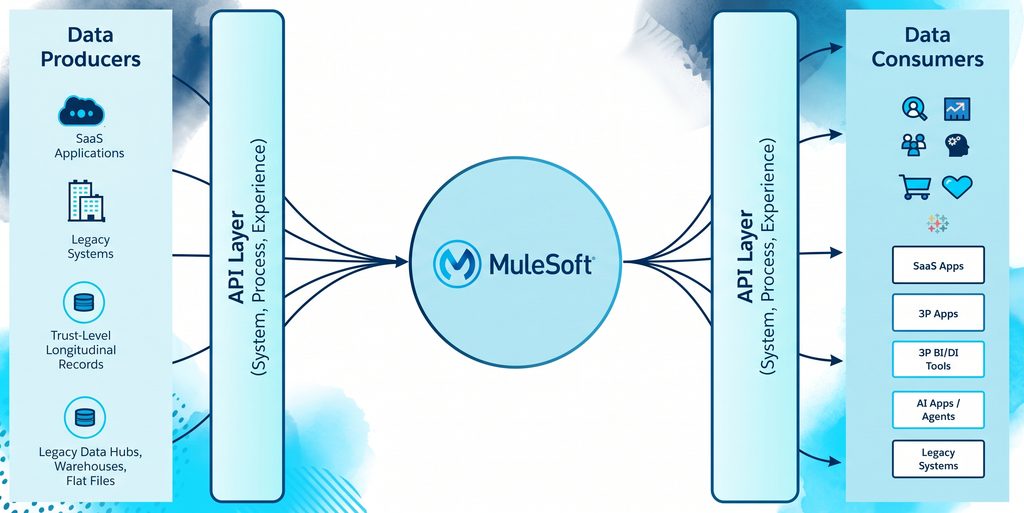
Phase 2 covers implementation and design. Most MuleSoft teams use API-led connectivity, which MuleSoft’s documentation describes as three layers of APIs. Each layer has its own job, and this design replaced the older enterprise service bus model because it lets you reuse work instead of rebuilding it.
- System APIs connect to one core system, like your ERP or a database, and unlock its data once.
- Process APIs combine data from several System APIs to run a business process, like placing an order.
- Experience APIs shape that data for one app, portal, or partner.
Next, pick your deployment options. CloudHub 2.0 means MuleSoft runs the infrastructure for you. With Runtime Fabric, your team runs the container cluster in your own cloud or data center, while MuleSoft manages the apps on it. A self-hosted setup puts installing and patching the Mule runtime fully on your team.
Three things usually settle the deployment model: where your data must stay, whether the platform can reach your on-premises systems, and how much infrastructure your team wants to own. Banks and telecoms often decide here, because data rules can take some options off the table. That’s why some enterprises run Runtime Fabric inside their own AWS account.
This phase is done when you have a target architecture diagram and a deployment model chosen for each environment. Bring your security team in now, not later, because an early review of API exposure costs much less than a fix after launch.
Phase 3: Platform Foundation
Phase 3 builds the base in Anypoint Platform that every API will sit on. You set up separate environments for development, testing (QA, or quality assurance), and production. Then you add API Manager policies, like client ID enforcement and rate limits. You also store secrets safely and set naming rules, the same controls an API security review checks for.
You also build your CI/CD pipeline here, so code gets tested and deployed by scripts instead of by hand. That way every release follows the same steps, and a Maven and Jenkins pipeline built for Mule apps is one proven way to set it up.
This is also the time to start a small Center for Enablement (C4E), which is different from a Center of Excellence. A Center of Excellence usually builds everything itself. This team owns governance, standards, and the shared catalog in Anypoint Exchange instead, so other teams can build on their own. That is what makes API-led reuse pay off over time.
The phase is done when a simple test API deploys to every environment through the pipeline with its policies applied. Two or three people are enough to run the enablement team at first, and they can grow it as more teams start building integrations on the platform.
Phase 4: Build and Test in Waves
Start with one pilot integration and take it all the way to production. Then build the rest in waves of related APIs, and build System APIs first so later waves can reuse them. That reuse is the core idea of API-led connectivity and the main advantage layered APIs have over an old service bus, so protect it from the start.
Inside each wave, you write data transformations in DataWeave, MuleSoft’s data mapping language. You also write MUnit tests for every flow, including retries, idempotency checks, and dead-letter queues for when something fails. These unit testing habits for Mule apps catch most problems before QA sees them, and performance tests at peak volume catch the rest.
A wave is done when its tests pass in QA, monitoring and alerts are set up, and a draft runbook exists. A runbook is the step-by-step guide your team opens when something breaks at 3 a.m. For large batch jobs, also check how big data sets are split and processed before you go live.
Phase 5: Go-Live, Hypercare, and Handoff
Go-live needs a cutover plan and a rollback plan, so you know exactly how to switch over and how to switch back if you have to. After launch comes hypercare, a short stretch when the build team watches the system closely and stays on call. Some teams keep engineers embedded in their own operating rhythm through this period.
Then you hand off. That means finished runbooks, training, and a clear owner for every integration. The phase is truly done when your own team can ship a change and fix a production issue without outside help. That is the exit question every partner should be able to answer.
Here is the whole MuleSoft implementation plan in one view. Use it to track progress and to line up the people each phase depends on, which is often the hardest part of any large integration program.
| Phase | What you get | You’re done when | Who you need from your side |
| 0. Readiness | Platform owner, first use case, admin access | An owner and sponsor are named | Executive sponsor, platform owner |
| 1. Discovery | Integration inventory and roadmap | Every first-wave interface is documented | System owners, data owners |
| 2. Architecture | Target architecture and deployment model | The diagram and decision are signed off | Enterprise architect, security lead |
| 3. Foundation | Environments, CI/CD, policies, standards, C4E | A test API deploys through the pipeline | DevOps, security, platform owner |
| 4. Build and test | APIs in waves, tests, monitoring | Each wave passes QA with a runbook | Business analysts, testers, system owners |
| 5. Go-live and handoff | Cutover, hypercare, runbooks, training | Your team handles an incident alone | Operations and support team |
How Long Does a MuleSoft Implementation Take?
The real answer depends on scope, but you can still set a clear timeline. A first pilot API can be live in about four weeks when your environments and access are ready. That is how the Mule In Motion LITE package is scoped, with work delivered in two-week sprints.
A full first wave of integrations takes longer. The pilot proves the foundation works, and the waves after it move faster because they reuse what came before, the same pattern behind a step-by-step Mule 4 upgrade.
Five things stretch a MuleSoft implementation timeline more than anything else, and most of them sit on your side, not the build team’s. They match the gaps an architecture review usually turns up:
- The number of source systems in the first wave
- Network access and firewall approvals for on-premises systems
- Poor data quality in source systems
- Security and change-board reviews
- How often system owners are free to answer questions
You’re not alone if your dates slip. MuleSoft’s 2026 Connectivity Benchmark Report found that 26% of IT projects were not delivered on time in the past 12 months. If you’re migrating, a phased cutover off older tools keeps one late interface from holding up the rest.
What a MuleSoft Implementation Costs
MuleSoft implementation cost comes in three buckets: the platform subscription, the work to set it up and build integrations, and the cost to run and change things after launch. Our partner shortlist guide breaks down licensing and services costs in more detail, so this section sticks to what drives each bucket.
Platform pricing has changed. MuleSoft’s current pricing page sells packages funded by Mule Credits, a shared credit currency where each type of usage uses credits at its own rate. Older contracts were usually priced on vCores, which measure runtime capacity. Check which unit yours uses, especially if you still run apps on CloudHub 1.0.
The same page lists three ways to buy: Pre-Purchase, Pre-Commit, and Unlimited. Pre-Commit carries a $50,000 minimum yearly commitment, and the page advertises a starting point of about $2,000 a month, billed annually. Your real number depends on usage, so get licensing modeled during scoping, not after.
Services cost depends on how many interfaces you build, how many systems you connect, and how much foundation work you need. A migration with hundreds of old interfaces costs more than a greenfield pilot, and an upgrade has its own scope, which an upgrade assessment pins down. Run cost covers support, monitoring, and the changes you’ll keep making.
Who You Need on the Team
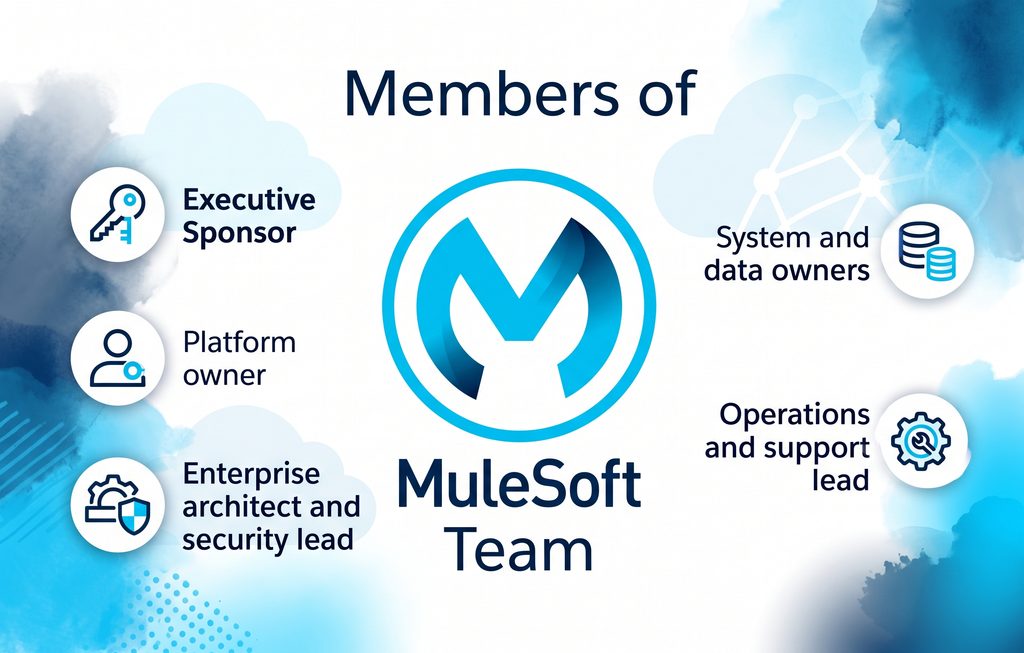
A MuleSoft implementation needs people on both sides. The build team brings integration skills, but your side brings knowledge of your systems and the authority to make decisions. These questions help you check who will really be on an implementation partner’s team once the sales call is over.
| Your side | Build team |
| Executive sponsor: removes blockers and owns the business result | Integration architect: owns the design and standards |
| Platform owner: owns Anypoint Platform after launch | MuleSoft developers: build and test the APIs |
| Enterprise architect and security lead: approve the design and policies | DevOps engineer: builds the pipeline and environments |
| System and data owners: answer questions and approve changes | QA tester and business analyst: test flows and capture requirements |
| Operations and support lead: takes over after hypercare | Delivery lead: runs sprints and reports progress |
The biggest schedule risk in most projects isn’t the developers. It is getting time with your system owners during discovery and build, so book their hours early. If Salesforce is one of your systems, include your admin too, since Salesforce integration work often touches its data model.
Implementing MuleSoft When Salesforce Is the Hub
Many enterprises run Salesforce as the main place their sales and service teams work. In that setup, decide early which system is the system of record for customers, products, and orders. Salesforce is often where people use the data, not where the data starts, so it pays to know what to fix in your data layer first.
Build System APIs for your ERP and core systems once. Then share that data with Salesforce, and with anything else that needs it, through Process APIs. This keeps Salesforce from turning into a tangle of direct connections, which is the problem a dedicated Salesforce integration team usually gets brought in to fix.
AI agents raise the stakes. The APIs you build now are what agents like Agentforce will call later, and MuleSoft’s 2026 benchmark found that half of all AI agents still work in silos. This look at how agents reach data outside Salesforce explains why, and a four-step checklist for Agent Fabric-ready APIs shows what to add.
Seven Ways MuleSoft Implementations Go Wrong
Most failed implementations don’t fail because MuleSoft is the wrong tool. They fail because of a handful of common mistakes, and nearly all of them can be avoided if you know what to watch for. These are the patterns that show up in audits of existing MuleSoft setups.
1. Building Point-to-Point Integrations Inside MuleSoft
Some teams buy MuleSoft and then wire systems together directly, just inside a new tool. That way you pay for API-led connectivity but get none of the reuse. Five systems connected directly need 10 links, and ten systems need 45. Following the layered approach that replaced the old ESB from day one keeps that mess from growing.
2. No Plan for Failed Messages
Every integration fails sometimes, so plan where a failed order goes. Without a plan, it can show up twice or vanish instead of landing in a dead-letter queue where someone can fix it. Build in idempotency, meaning a retry gives the same result as the first try, and test it with MUnit by mocking the systems on each end.
3. Sizing Capacity by Guesswork
Teams often buy more capacity than they need, or too little, and then pay for it in credits or in outages. Size your runtimes from the volumes you measured in discovery, and check again after go-live. If you plan to host runtimes yourself, read the cost case for Runtime Fabric over a do-it-yourself setup first.
4. No C4E, So Nothing Gets Reused
Without a C4E, every team builds its own customer API and nobody uses the shared catalog in Anypoint Exchange. MuleSoft’s 2026 benchmark found that 27% of APIs have no governance at all. That is one reason teams now compare platforms on how each one enforces standards.
5. Skipping Discovery
When discovery gets cut to save time, the timeline only looks shorter. You meet the real data owners in week eight, after the code is already written. Then you rebuild. A few extra weeks of discovery up front costs far less, and a structured platform assessment can speed that work up.
6. Adding Security After Go-Live
Security and governance added at the very end tend to break things, so teams delay them or skip them. Set up API Manager policies during the foundation phase and test them with every wave. An audit of API exposure and policy gaps is the fastest way to find what you missed.
7. No Runbooks
If nobody writes runbooks, the original developer becomes the runbook, and developers move on. Make a draft runbook part of every wave’s definition of done, and test it by having someone else follow it. Runbooks matter even for routine work, like handling runtime security patches on CloudHub.
After Go-Live: Running the Platform
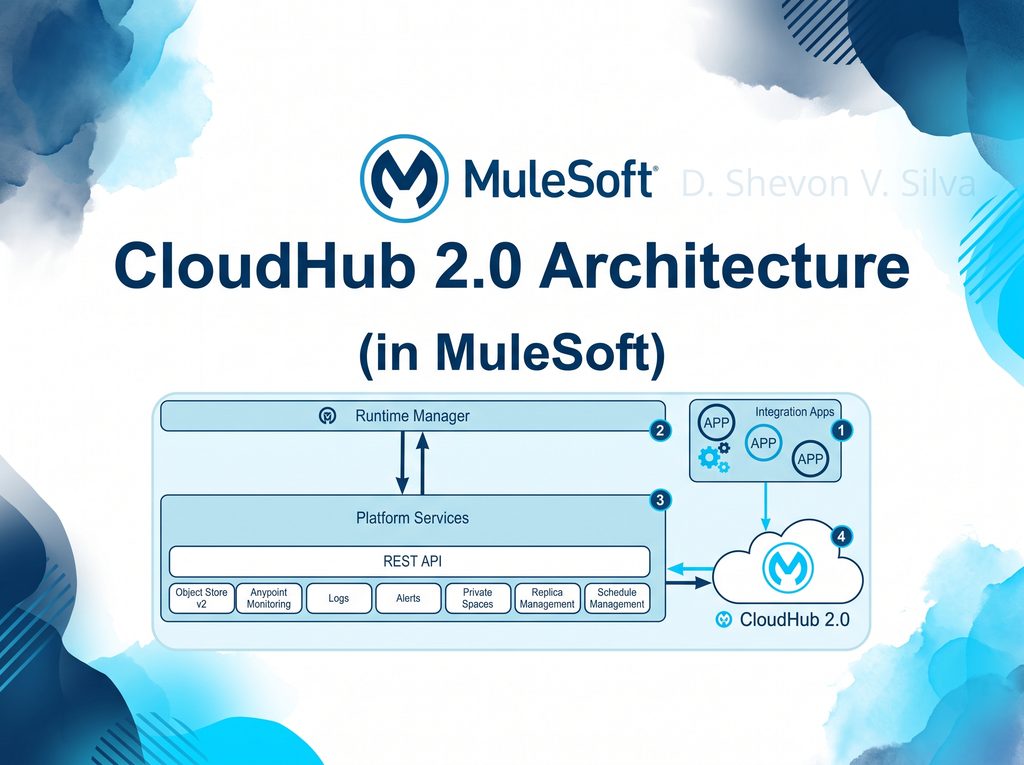
Launch isn’t the finish line. On CloudHub 2.0, MuleSoft manages the infrastructure and runtime updates, but your apps still need to handle restarts cleanly. The more of the stack you host yourself, the more patching your team owns, as this breakdown of CloudHub’s patching process explains.
Salesforce also ships three major releases a year, and each one can change how its APIs behave. Test your integrations in a preview sandbox before each release lands. Keep your C4E running so governance keeps up, too, which is the same habit that helps when you move workloads to CloudHub 2.0.
In-House, Partner, or Both?
You can run a MuleSoft implementation fully in-house if you already have certified MuleSoft developers and a platform owner. A MuleSoft implementation partner shortens the foundation phases and brings patterns from other projects, especially firms that have implemented more than one platform.
Many teams mix the two. An implementation partner leads the foundation and the first wave, and the internal team takes over from wave two onward. If you go that route, here’s how to judge which partners are worth a call.
If you’re planning a MuleSoft implementation, Incepta’s MuleSoft team can help in two ways:
- Starting fresh: Mule In Motion gets a pilot API live in about four weeks, with environments, policies, and documentation set up along the way.
- Stuck mid-project: a MuleSoft Platform Assessment finds what’s slowing you down and gives you a fix-first list.
Book a short call to talk through where your implementation stands today.
Frequently Asked Questions
How long does a MuleSoft implementation take?
A MuleSoft implementation usually reaches a first live pilot API in about four weeks once access is ready. A full first wave of integrations takes longer. The timeline depends on the number of systems, data quality, and how quickly approvals move. A multi-cloud migration for a retail brand shows a phased plan in practice.
How much does a MuleSoft implementation cost?
MuleSoft implementation cost has three parts: the platform subscription, the setup and build work, and ongoing run costs. New MuleSoft packages use Mule Credits instead of the vCores older contracts used, and the pricing page lists a $50,000 yearly minimum for Pre-Commit plans. Services costs depend on scope, so get an architecture review that grounds the quote first.
Should we use CloudHub 2.0 or Runtime Fabric?
Use CloudHub 2.0 if you want MuleSoft to run the infrastructure and your data rules allow its regions. Choose Runtime Fabric if you need runtimes inside your own cloud account or data center, often for data residency or to reach on-premises systems. Teams already on CloudHub 1.0 can follow a structured path to CloudHub 2.0.
What is a C4E in MuleSoft?
A Center for Enablement (C4E) is a small team that owns Anypoint Platform standards and the Anypoint Exchange catalog. Unlike a Center of Excellence, it doesn’t build everything itself. MuleSoft Catalyst uses the C4E to help other teams build on their own. That idea matters on any platform, as this look at how integration platforms handle shared standards shows.
Can MuleSoft run alongside our existing middleware?
Yes. You can run MuleSoft next to your old middleware and move interfaces over in waves, so the business never goes dark. Start with low-risk interfaces, prove the pattern, then move the harder ones. That approach works for tools like TIBCO and BizTalk, and it is the safest route off Informatica PowerCenter too.
Do we need a MuleSoft implementation partner?
Not always. If you have certified MuleSoft developers, a platform owner, and time to build the foundation, you can do it in-house. An implementation partner helps most when you need to move fast, have no MuleSoft experience yet, or are rescuing a stalled project. With Salesforce in the mix, look for a team that handles Salesforce and MuleSoft work together.
What is API-led connectivity?
API-led connectivity is MuleSoft’s way of organizing integrations into three layers. System APIs unlock data from core systems, Process APIs combine that data for a business process, and Experience APIs shape it for one app or channel. Because each layer gets reused, later projects cost less, as this SAP S/4HANA integration walkthrough shows layer by layer.
Is MuleSoft the right platform for us?
MuleSoft fits best when you connect many systems, need strong API management, and want to reuse integrations across teams. For a handful of simple app-to-app workflows, a lighter tool may cost less. This comparison from a firm that implements both Workato and MuleSoft lays out where each one wins and when MuleSoft is more than you need.