
CRM development services cover five kinds of work:
- Building a CRM from scratch
- Customizing a platform like Salesforce
- Connecting it to other systems, migrating data
- Ongoing support
Most projects need three or four at once. Your first decision is which job you’re hiring for, and a structured review of your current org answers that fast.
The major work is custom versus platform. Custom CRM development carries a higher total cost of ownership, because yearly upkeep often runs 15 to 20% of the original build. Unless the CRM is your product or your data doesn’t fit a standard model, extending a platform is usually the better bet, as our Salesforce consulting work shows.
Integration and artificial intelligence (AI) readiness are where CRM development services quietly succeed or fail. Plan for both before you sign with any CRM development company, and use the questions that expose a weak partner to test them.
What CRM Development Services Include
CRM development services, sometimes called CRM software development, are the work of building, extending, connecting, or fixing a customer relationship management (CRM) system so it fits how your business runs. It’s why a good CRM development company starts with how your sales and service teams actually work.
Don’t confuse CRM development with CRM implementation. Implementation sets up and rolls out a CRM: configuration, data loads, and training. Development writes code so the CRM does something it can’t do out of the box. Most projects need both, and a well-run Sales Cloud rollout shows where one ends and the other starts.
Here are the five types of CRM development services you’ll see in most proposals. Any CRM development company should tell you which ones your project needs, the same way a team that connects your systems scopes its work:
| Service | What it means | Typical trigger | Usually paired with |
|---|---|---|---|
| Custom CRM development | Building a CRM from scratch around your own data model | The CRM is your product, or no platform fits | Integration, migration, support |
| CRM customization | Custom objects, Apex code, Flow, or AppExchange apps on Salesforce, HubSpot, or a similar CRM | A key process still lives in spreadsheets | Integration |
| CRM integration | Connecting the CRM to enterprise resource planning (ERP), billing, core systems, and data platforms | Reps re-key data between systems | Customization |
| CRM migration | Moving data and logic off spreadsheets, a legacy CRM, or a messy org | A merger, a rebuild, or a retired tool | Integration |
| Support and ongoing development | Fixes, upgrades, and new features after launch | Every live CRM | Everything above |
Integration and migration get mixed up, too. CRM integration keeps your CRM talking to other live systems. CRM migration is a one-time move from an old system to a new one. Most migrations still need integration work, because the old system rarely shuts off on day one, as our guide to choosing an integration platform explains.
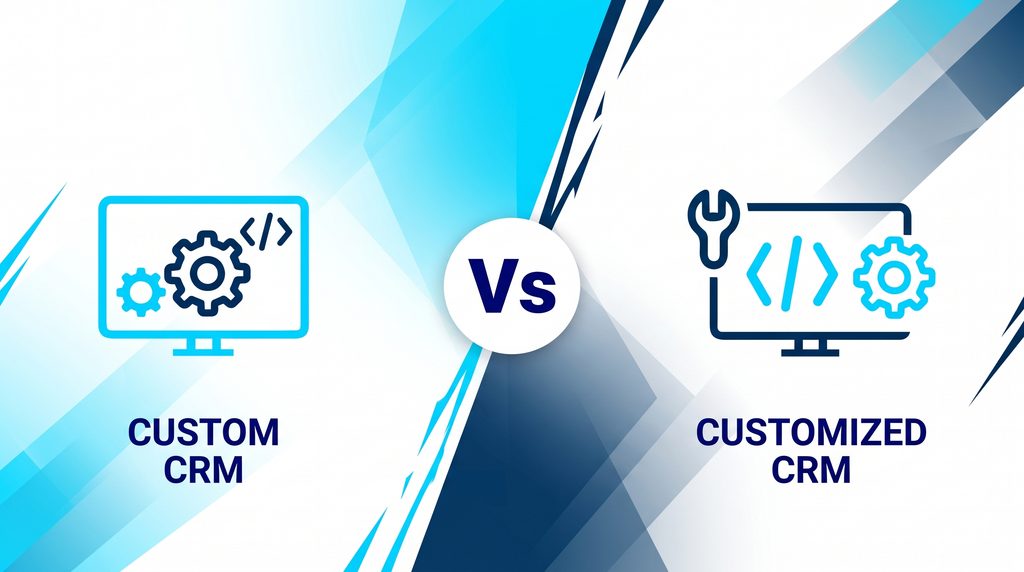
Custom CRM vs. Customized CRM: The Difference That Sets Your Budget
A custom CRM is built from scratch. You own the code, the database, the hosting, and every future upgrade. A customized CRM is a platform like Salesforce, Dynamics 365, or HubSpot, extended with your own objects, logic, and screens. Which one fits is a question for whoever owns your system design.
CRM customization is often what buyers really need when they search for custom CRM development. It’s the sort of Salesforce development that engineers embedded in your team handle well.
The difference shows up in who carries the load over time. With a platform-based CRM, the vendor owns the core and ships updates. Salesforce rolls out new features three times a year, in its Spring, Summer, and Winter releases. With custom CRM development, you only get new features you pay for, a cost that legacy systems tend to hide.
Neither path to CRM software development is wrong. The right answer depends on your data model, your team, and how long you plan to own the system. The rest of this guide helps you decide, and if you go the platform route, it pays to know the habits that keep a heavily customized org healthy.
Custom Build vs. Platform Extension: Side by Side
Here’s how a custom build compares with a platform-based CRM on the factors that matter most when you buy CRM development services. Use it as a checklist when you compare proposals from any CRM development company, and bring it to the first scoping call with a Salesforce partner. Cost figures come from the cost section below.
| Factor | Custom-built CRM | Platform-based CRM, extended (e.g., Salesforce or Dynamics 365) |
|---|---|---|
| Up-front cost | High: published ranges start near $90K and pass $300K | Lower: small projects start near $10K, plus licenses |
| Ongoing cost | Upkeep of about 15 to 20% of the build each year, plus hosting | Per-user license fees, plus admin and development time |
| Time to first value | Several months to more than a year | Weeks to a few months for a first release |
| Who owns the code | You do | The vendor owns the core; you own your extensions |
| Who owns the data | You do | You do, stored on the vendor’s infrastructure |
| Upgrades and new features | Only what you build and pay for | Three vendor releases a year |
| Security and compliance baseline | You build and prove every control | The vendor ships a baseline; you configure it |
| Integration options | You build every connector | Prebuilt connectors, application programming interfaces (APIs), AppExchange apps, and integration platforms |
| AI and agent features | You design the data, permissions, and grounding | Built-in agent tools that still need clean data |
| Biggest risk | Key-person risk and growing maintenance | License creep and vendor lock-in |
Be honest about the platform’s risks, too. License fees grow with every user you add, and you can only change what the vendor allows. That’s real vendor lock-in, and a good partner says so before you sign. It helps to put real numbers on what your current setup costs first.
In Salesforce-based CRM system development, there’s one more line to draw. Configuration uses built-in, no-code tools like Salesforce Flow, page layouts, and validation rules. Salesforce development means writing Apex or Lightning Web Components (LWC) when configuration runs out. Good partners use up configuration first, because code is what turns into technical debt down the road.
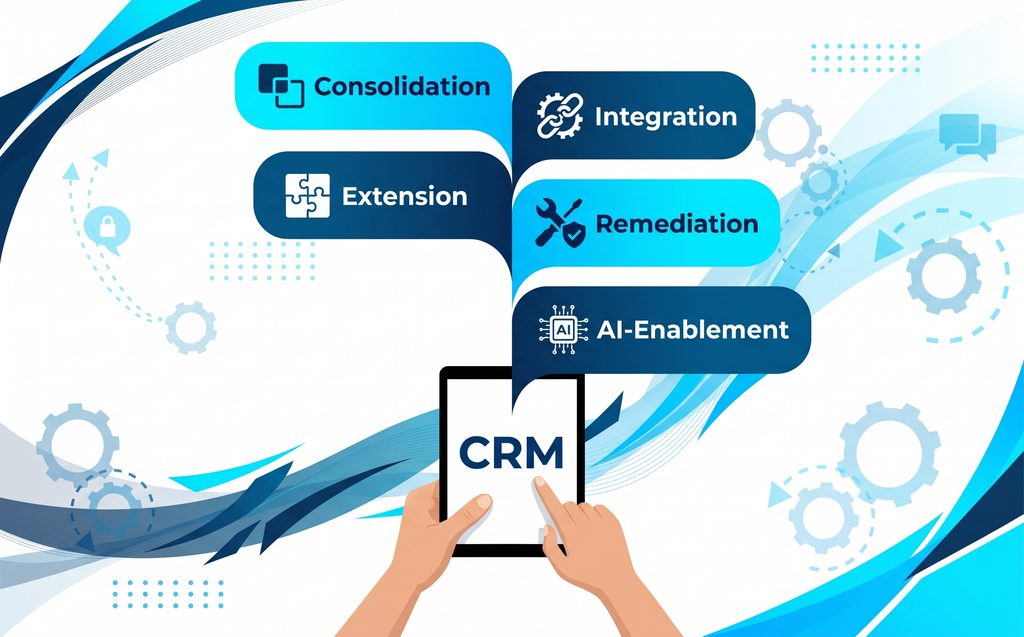
The Five Jobs CRM Development Actually Solves
Most CRM development services projects aren’t really about CRM system development from scratch. They’re about one of five jobs. Find yours below, and you’ll know exactly what to ask a CRM development company for. If more than one fits, get an outside look at where your org stands before you scope anything.
Consolidation
You’re here if you run two or more CRMs or Salesforce orgs after a merger or regional growth. The work is merging data, users, and automation into one system without breaking sales. We did this for a Canadian logistics company, folding two Sales Cloud setups into one.
Extension
You’re here if your CRM works, but a key process still lives in spreadsheets or email. Quoting, approvals, and onboarding are common examples. Extension is CRM customization: custom objects, Flow automation, or a small app, like the quote-to-cash setup in a configure, price, quote (CPQ) rollout.
Integration
You’re here if your CRM is an island. Reps re-key orders, service can’t see invoices, and nobody trusts the numbers. CRM integration connects the CRM to your ERP, billing, and other systems, and the signs your integration approach has fallen behind are usually easy to spot.
Remediation
You’re here if an older custom CRM or an over-customized org is slow and fragile, and nobody wants to touch it. Remediation pays down technical debt, retires old tools, and sometimes ends in a CRM migration to a new platform. Legacy CRM work often starts with knowing which kind of legacy system you have.
AI-Enablement
You’re here if leadership wants AI agents, but your data isn’t ready. The work is unifying records, tightening permissions, and fixing data quality so agents have something trustworthy to work from. A quick scorecard on agent readiness shows how far you have to go.
When a Custom Build Is the Right Call, and When It’s a Trap
Most pages about custom CRM development come from a CRM development company that makes money building CRMs. We build on platforms, so here’s the other side. Custom CRM development is the right answer in a few clear cases, and an enterprise architecture review can confirm whether yours is one of them.
Build Custom When…
- The CRM is your product. You sell it, or it’s core intellectual property.
- Your data model doesn’t fit accounts, contacts, and opportunities, even with custom objects.
- You’ll keep a long-term engineering team to own it.
- You’ve run the five-year total cost of ownership math, and licenses at your scale cost more than a build plus upkeep.
Custom Becomes a Trap When…
- The main reason is “the platform felt expensive,” and nobody priced maintenance.
- One developer or one vendor holds all the knowledge.
- You’ll need AI, mobile, security patches, and integrations, and all of it lands on your backlog.
- The real problem is messy data or a broken process, which no new system will fix.
That last point catches a lot of teams. No amount of custom CRM development will fix duplicate records or a sales process nobody follows. Fix the process and the data first, often with help bringing customer data into one trusted place, then decide what to build.
A Five-Question Decision Checklist
Answer these five questions before you request quotes. If most answers point to a platform-based CRM, start with a guided look at your existing Salesforce setup instead of a build plan.
| Question | If yes | If no |
|---|---|---|
| Is the CRM part of the product you sell? | Lean custom | Lean platform |
| Does your data model break a standard CRM, even after customization? | Lean custom | Lean platform |
| Will you fund an engineering team to own it for five or more years? | Custom is workable | Custom is risky |
| Over five years, would licenses cost more than a build plus upkeep? | Custom may pay off | Platform is cheaper |
| Do you need AI agents in the next two years? | Platform saves time | Either can work |
How Much Do CRM Development Services Cost?
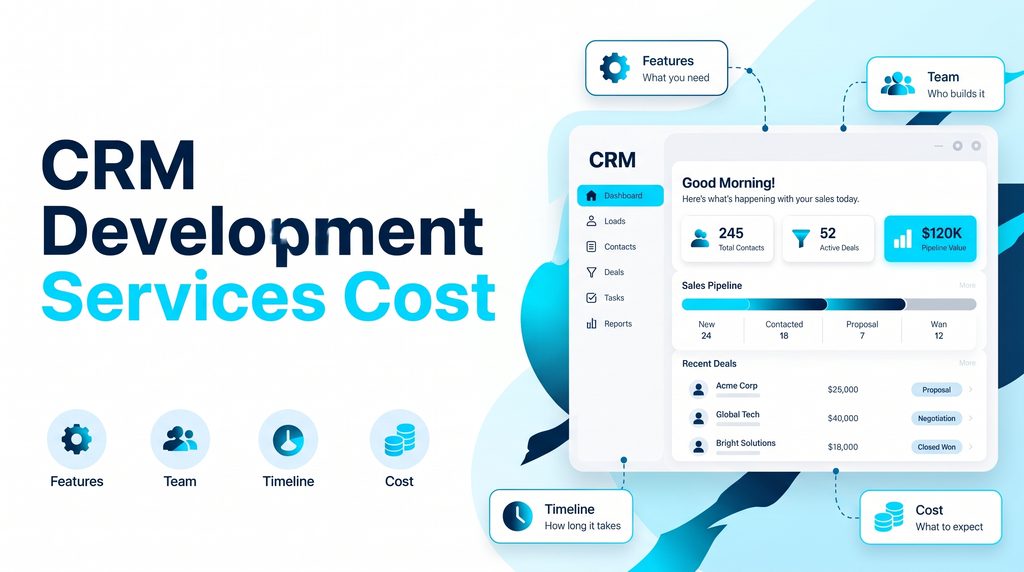
CRM development services pricing depends on scope, your user count, and how many systems you connect, since CRM system development is mostly labor. Published ranges give you a starting point. Treat them as a sanity check, not a quote, and test any estimate against a return on investment (ROI) model built on your own figures.
Platform-Based Projects
Itransition, a CRM development company that publishes its prices, puts smaller platform-based projects at around $10,000 and up. You also pay recurring license fees for every user. On Salesforce, custom work is often delivered in phases of 4 to 12 weeks, as described on our Salesforce development services page.
Custom Builds
The same firm puts custom CRM development at about $90,000 for an entry-level CRM and $300,000 or more for an enterprise system. Builds take from several months to more than a year. Those numbers cover the build only, not what it costs to keep a legacy CRM alive year after year.
The Five-Year Number Nobody Quotes You
The build is the smallest part of what CRM development services cost you. A long-standing rule of thumb puts yearly maintenance at roughly 15 to 20% of the original development cost. It’s a cost teams that inherit old systems know well.
Here’s what that means over five years for an illustrative $250,000 custom CRM, next to a platform setup. Plug in your own numbers, or have a partner who has priced both paths run them with you. Any CRM development company you’re considering should be willing to do the same.
| Cost item | Custom CRM development (illustrative) | Platform CRM (your numbers) |
|---|---|---|
| Build or implementation | $250,000 | Implementation plus custom development |
| Upkeep, years 2 to 5 | $37,500 to $50,000 a year, or $150,000 to $200,000 | Admin and development time |
| Licenses | None | Per-user price × users × 60 months |
| Hosting and security tools | Extra, not included above | Mostly included in the license |
| Five-year total cost of ownership | About $400,000 to $450,000, before hosting and new features | Implementation plus 60 months of licenses plus admin |
Neither path is cheap. The real difference is which costs you can predict and who carries the risk when something breaks or needs upgrading. That’s why total cost of ownership, not the build quote, should drive the decision, along with the admin work a platform CRM still needs.
Why CRM Projects Stall at Integration
Most CRM projects don’t fail at the build. They stall when the CRM has to talk to everything else. MuleSoft reports that the average enterprise has data siloed across more than 1,000 applications, and only one-third are integrated. That’s the gap CRM integration has to close, and it’s the core of the work we do for clients.
There are two ways to wire it up. Point-to-point links connect each system directly to every other system. They’re fine for three systems and painful at thirty, because every change breaks something. API-led connectivity builds reusable layers instead, which is why layered APIs replaced the old service bus.
Here’s where custom and platform split again. With custom CRM development, you build and maintain every connector yourself. With a platform-based CRM and an integration layer, API-led connectivity lets you reuse connectors across projects. That reuse is the main reason teams connect Salesforce to ERP, billing, and core systems through one layer.
If your CRM system development plan includes several integrations, phase the work instead of doing it all at once. Start with the system your reps complain about most, then add the rest in waves. Our guide shows what a phased integration rollout looks like in practice.
Is Your CRM Ready for AI Agents?
AI agents are the newest reason companies shop for CRM development services. Salesforce found that 84% of data and analytics leaders say their data strategies need a complete overhaul before their AI plans can succeed. The CRM is usually where that overhaul starts, and it’s where most Agentforce projects get their first real results.
The same research found leaders estimate that 26% of their organization’s data is untrustworthy, and 89% of those with AI in production have seen inaccurate or misleading outputs. Bad data in means bad answers out, which is the bottleneck that stalls most AI projects.
An AI agent needs four things from your CRM. Check each one before you budget for agents, ideally with a team that sets up agents with guardrails:
- Unified customer records, so the agent sees one version of each customer
- Clean permissions, so it can only see and do what it should
- An audit trail of what it did and why
- Trusted data to ground its answers
With custom CRM development, your team designs all four itself. On Salesforce, Agentforce can work from CRM records for narrow jobs. For anything that spans systems, it relies on Data 360 (formerly Data Cloud). Data 360 isn’t your CRM database. It’s the layer that pulls other systems’ data into one customer profile.
CRM Development for Banks, Insurers, and Other Regulated Firms
Regulated firms need everything CRM development services usually cover, plus proof. A bank or insurer has to show who changed what and when, who can see each field, and how it meets data residency rules. That’s the kind of work behind our banking and finance practice.
Plan for these from day one, because they’re expensive to add later. Each one is a question to settle among the decisions to make before you extend Salesforce into a bank:
- Auditability: a record of every change and who made it
- Field-level security: limits on who sees account numbers and personal data
- Data residency: where data is stored, especially across borders
- Retention: how long you keep records, and how you delete them
- Core system integration: live links to core banking, policy, and billing systems
Custom CRM development has to engineer and prove every one of these controls. A platform ships much of the baseline, but your data model and integration choices still decide whether you pass an audit. For insurers, carrier and broker integration patterns add policy systems to the mix.
If you’re a bank or credit union building on Salesforce, our integration-first plan for financial institutions goes deeper on the build itself.
The CRM Development Process, Step by Step
Every CRM development company runs some version of the same CRM software development process. The names change, but the steps don’t. What matters most is that discovery gets real time, and that the work is scoped by someone who can map how your systems fit together:
- Discovery phase: map your process, data, and integrations, and agree on what’s in scope.
- Solution design: settle the data model, security, and integration approach.
- Build in small releases: ship working pieces you can test, not one big drop at the end.
- CRM integration and CRM migration: connect live systems and move old data.
- Testing at real volume: test with real data loads, not ten sample records.
- Training and handover: document what was built and train your team.
- Ongoing support: fix, upgrade, and add features as the business changes.
Skipping or rushing the discovery phase is the most common reason CRM projects run over budget. A CRM development company that wants to start coding in week one is chasing speed, not building the right thing. Ask how they run the first few weeks, and compare the answer with how an embedded engineering team spends its first month.
How to Choose a CRM Development Company
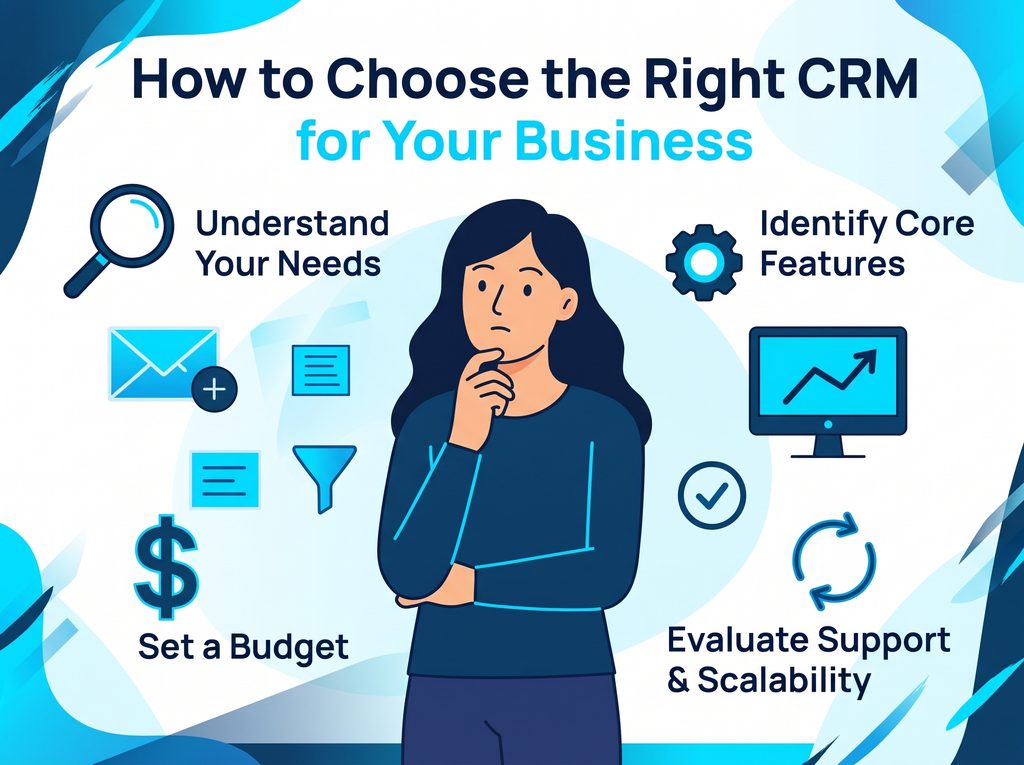
The right CRM development company gives you a straight answer, even when it means less work for them. Use these four checks to narrow your shortlist of CRM development companies, then go deeper with a fuller playbook for vetting a Salesforce partner:
- Do they push one answer every time? A partner who always builds or always configures isn’t listening.
- Can they show CRM software development work that’s still in production after two years? Launch-day demos don’t count.
- How much integration work have they done? Ask about your exact systems by name.
- What happens after launch? Get the support model in writing.
Ask for references, and ask those references what went wrong. Every project hits problems, and how a partner handles them tells you more than any case study. For a longer list, use the 25 questions that expose a weak integration partner.
How Incepta Helps With CRM Development
Our CRM development services start by figuring out which CRM job you actually have. Then we build it on Salesforce with the integration done right. Here’s where our Salesforce and MuleSoft teams usually start:
- Not sure what you need? We start with a no-pressure review of your current CRM and a fix-first list.
- Need CRM customization on Salesforce? Our Salesforce development team builds code and Lightning components when configuration runs out.
- Connecting systems? We build the integration layer between your CRM, ERP, and core systems.
- Getting ready for agents? We clean up data and permissions before any agent goes live.
Want a second opinion on build versus extend? Talk through your CRM plans with our team.
Frequently Asked Questions
What do CRM development services include?
CRM development services include five kinds of work: custom CRM system development from scratch, customizing a platform like Salesforce, CRM integration with other systems, CRM migration from a legacy CRM, and ongoing support. Most projects combine three or four of them. A good CRM development company tells you which ones you need before it quotes, which is the point of a structured CRM health check.
How much does custom CRM development cost?
Custom CRM development usually starts around $90,000 for an entry-level system and runs past $300,000 for enterprise builds, based on ranges published by CRM development firms. Yearly upkeep often adds 15 to 20% of the build cost, so a $250,000 build can pass $400,000 over five years. Compare that with platform costs using a calculator built for Salesforce orgs.
How long does it take to build a custom CRM?
A basic custom CRM usually takes several months to build, and an advanced, enterprise-grade CRM can take more than a year. Discovery, CRM integration, and data migration add time on top of the CRM software development itself. Extending a platform is faster and is often delivered in phases of a few weeks each, especially with engineers who work inside your team day to day.
Is it better to build a custom CRM or use Salesforce?
For most mid-size and large companies, extending a platform like Salesforce costs less over time and brings AI and security updates without extra work. A custom CRM makes sense when the CRM is your product, your data model breaks standard tools, or you’ll fund a long-term engineering team. Either way, the goal is a single view of each customer across systems.
What’s the difference between Salesforce configuration and development?
Salesforce configuration uses built-in, no-code tools like Salesforce Flow, page layouts, and validation rules. Salesforce development means writing Apex code or building Lightning Web Components when configuration can’t do the job. Good teams handle CRM customization with configuration first and add code only where it pays off. That’s the judgment call behind when Apex and LWC are worth the extra effort.
Who owns the code and data in a custom CRM?
After custom CRM development, you own the code and the data outright, if your contract says so. Get that in writing before work starts. Ownership also means you own security patches, hosting, and upgrades. On a platform, you own your data and extensions while the vendor owns the core, a split that shapes your total cost of ownership.
Can a custom CRM use AI agents?
Yes, but custom CRM development means you build the pieces yourself: unified records, permissions that limit what the agent sees, an audit trail, and grounding in trusted data. Platforms ship many of these tools already. Either way, data quality decides whether agents give good answers, and how agents reach data outside the CRM shows what’s involved.
What should I look for in a CRM development company?
Look for a CRM development company that gives you a straight build-or-extend answer, can show CRMs still running years after launch, and has deep integration experience with your systems. Ask what support looks like after go-live. Check references and ask what went wrong. To compare Salesforce partners specifically, see how the Salesforce partner market breaks down in 2026.