
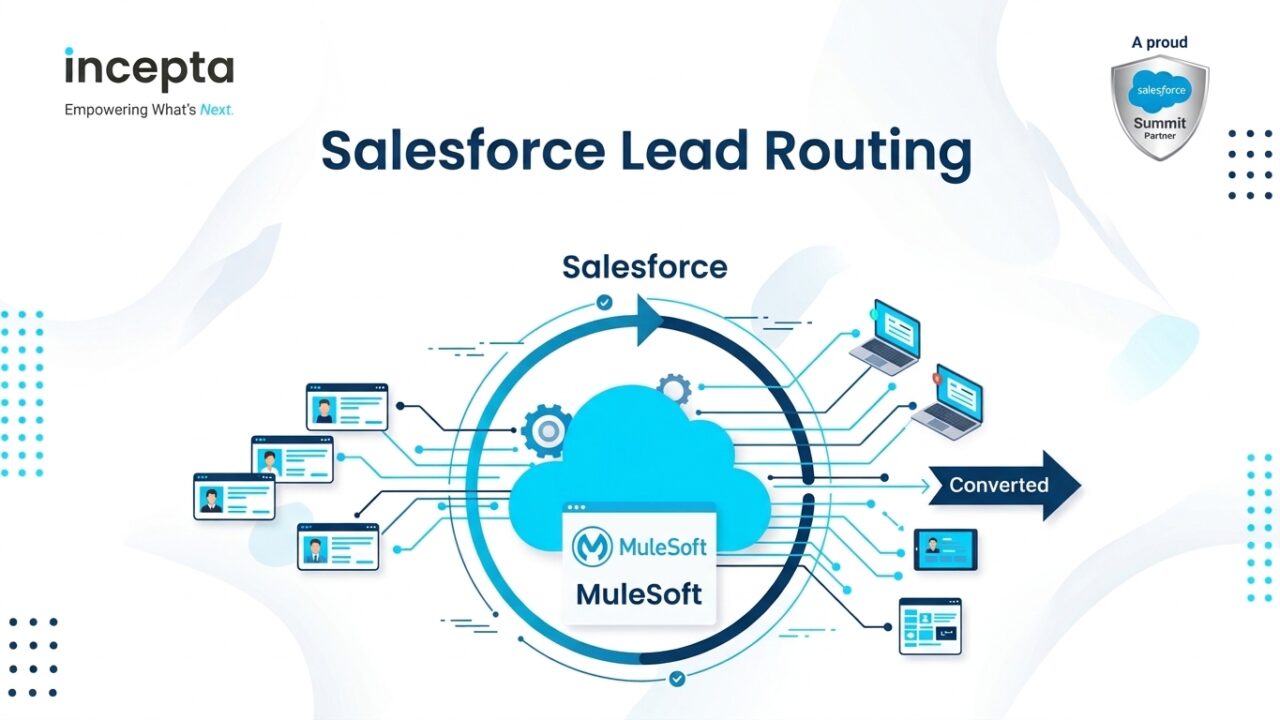
Salesforce lead routing is how you get each new lead to the right owner, fast. Salesforce gives you four native tools for it: lead assignment rules, Flow, queues with Omni-Channel, and territories. For many teams, those tools are enough, as long as someone keeps them tidy with the day-to-day habits that keep an org healthy.
Native tools stop short on a few jobs: round robin that knows who’s out, re-routing untouched leads, and matching leads to accounts. Before you buy a routing tool, check whether your rules depend on data outside Salesforce. And if you use Agentforce, routing still comes first, because the agent needs an owner already set on every lead.
What Is Salesforce Lead Routing?
Salesforce lead routing is how you decide who owns a new lead and get it to them. Lead assignment rules are one tool that does part of that job. People mix up the two, but routing is the whole process, the same way a Sales Cloud rollout is more than one setting.
Routing sits in the middle of a lead’s life. A lead comes in from a Web-to-Lead form, an import, or an integration. It should get cleaned and matched, then assigned, worked, and finally converted. That’s why messy data upstream often shows up as a routing problem, something a review of your current org tends to catch.
Salesforce tracks a lead’s progress with the Lead Status field. Salesforce describes those values as statuses such as Open, Qualified, or Converted, and most orgs customize them. Good routing gets a lead from “new” to “being worked” quickly, which is the whole point of setting up Sales Cloud around how your team sells.
Speed to lead matters here. Research in the Harvard Business Review found that most companies weren’t responding to online leads nearly fast enough. Routing can’t fix a slow rep, but it can make sure the lead lands with the right person the moment it arrives, which is the goal of Salesforce consulting built around your sales motion.

The Four Native Ways to Route Leads in Salesforce
Salesforce gives admins four built-in tools for automated lead routing. Each one fires at a different moment and has its own limits. Here’s how each one works, so you can pick the right mix before you think about adding code or a custom build.
1. Lead Assignment Rules
Lead assignment rules are the oldest Salesforce lead routing tool. Only one can be active at once, and Salesforce checks its entries in order until the first entry that matches wins. Each entry sends the lead to a user or queue. Keep the list short, one of the habits that keep automation easy for the next admin to read.
Salesforce applies lead assignment rules to leads created manually, from Web-to-Lead forms, and through the Data Import Wizard, according to Salesforce Help. You can also send an email to the new owner when a rule assigns them a lead. That small step is part of how sales teams actually work their leads.
Integrations are where admins get surprised. Salesforce’s REST API runs your active rules when a lead is created or updated, because the Assignment Rule header defaults to TRUE when it’s left out. So an integration that updates leads can reassign them by accident, unless whoever owns the connection between Salesforce and your other systems turns it off.
Lead assignment rules only look at the lead’s fields. They don’t do round robin on their own or know who’s on vacation, who has too many leads, or whether the company is already a customer. That’s fine for routing by region, size, or product, and it’s where design work that maps routing across systems starts to pay off.
2. Flow
Flow handles the logic lead assignment rules can’t. A record-triggered flow can look up related records, count things, wait, and then set the owner. It’s also how you re-route a lead nobody has touched after a set number of hours. If your flows have grown messy, start with a Flow health check for automation that’s quietly failing.
Watch for one common problem. If a lead assignment rule and a flow both set the owner, they can fight, and the last one to run wins. Pick one place where the owner gets set, and write it down. A clear owner for each piece of automation is one of the habits that stop technical debt from piling up.
3. Queues and Omni-Channel
A queue is a holding area. Leads sit in the queue until someone on the team takes one. Queues are simple and fair enough for small teams, but nothing stops one rep from taking all the good leads. That’s when teams start asking for routing built on clean, trusted data.
Omni-Channel goes a step further. Salesforce says it can route work items, like cases, leads, chats, and messages, to the best-fit person. A queue waits for someone to pull a lead. Omni-Channel pushes the lead to a rep who’s online and has room, based on their presence status and capacity, which suits teams that share one view of each customer.
Omni-Channel is often set up for service teams first, so confirm how it’s licensed and set up for your sales users with your Salesforce account team. It also only works if reps set their presence status every day. If they forget, leads stall, which is why testing the setup before go-live matters.
4. Sales Territories (Enterprise Territory Management)
Territories decide who covers which accounts and leads. Salesforce Help now calls the feature Sales Territories, though many admins still say Enterprise Territory Management. You can assign leads to territories from the lead record in Enterprise and Unlimited Editions with Sales User permissions, among others. It’s a common part of a Salesforce consulting engagement for larger sales teams.
Here’s the catch. Territories decide coverage, but they don’t set the lead owner on their own. You still need a lead assignment rule or a flow to pick the owner inside the territory. Treat territories as the map and your rules as the directions, and plan both together when you’re moving from an old CRM to Salesforce.
Native Lead Routing Options Compared
Here’s how the four native options stack up for Salesforce lead routing. Use it to pick a primary tool and a backup, then check it against the questions a good partner asks before any build.
| Lead assignment rules | Flow | Queues + Omni-Channel | Sales Territories | |
| Best at | Simple criteria like region, size, or product | Custom logic, re-routing, round robin | Team pools and who’s available | Coverage for accounts and leads |
| Round robin | Only with a formula workaround | Yes, with a counter | Omni-Channel balances by capacity | No |
| Knows who’s available | No | Only if you build it | Yes, through presence status | No |
| Who maintains it | Admin | Admin or developer | Admin | Admin and sales ops |
| Breaks when | Rule entries pile up | Flows overlap | Reps skip presence | Territories go stale |
How to Set Up Round Robin Without an App
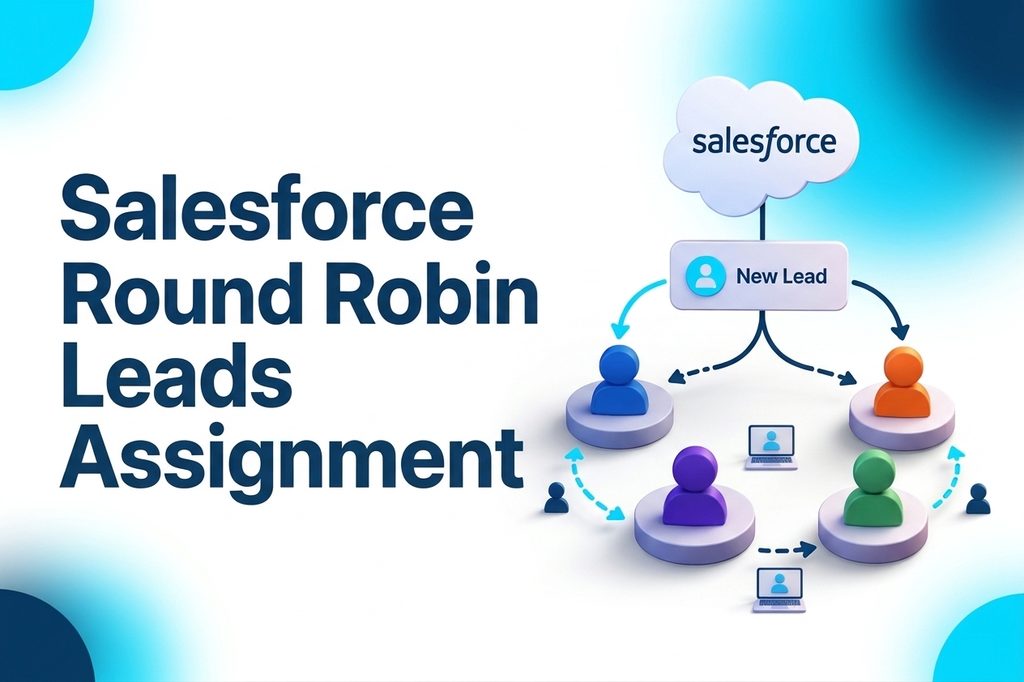
Many guides say Salesforce can’t do round robin lead assignment. That’s only half true. Salesforce publishes its own method in its sample lead management formulas, and you can build it in an afternoon. If you’d rather have someone else build it, that’s the kind of small build a development team handles.
Here’s the formula approach. You can set it up yourself, or with an engineer working inside your team:
- Create an auto-number field on the lead, such as Lead Number.
- Create a formula field with MOD(VALUE(Lead_Number__c), 3), where 3 is the number of queues or reps.
- The formula returns 0, 1, or 2 for each new lead.
- In your lead assignment rule, map each result to a queue or a person.
The Flow approach to round robin works the same way. A flow keeps a counter, sends each new lead to the next rep in line, and moves the counter forward. It’s easier to change than a formula, and it’s a good fit for teams that already run most automation in Flow.
Both versions of round robin have the same limits. They don’t weight reps by experience, they don’t skip people who are out, and you have to update them by hand when someone joins or leaves. When those limits start costing you deals, that’s a real reason to look at Omni-Channel capacity or a different way of connecting your sales tools.
Lead-to-Account Matching: The Step Most Routing Skips
Here’s a common problem. A new lead comes in from a company you already sell to, and it goes to a random rep. The account owner never hears about it. Lead assignment rules and round robin don’t know the account exists, so they can’t send the lead to its owner, which is why account data from every system matters.
Salesforce’s duplicate and matching rules do a different job. Matching rules find likely duplicates among accounts, contacts, leads, and person accounts, and duplicate rules decide what to do. Neither sends the lead to the account owner. That takes a flow, code, or a tool, plus clean, unified profiles like the ones Data 360 builds.
Matching is harder than it looks. Email domains miss people who use personal email or work at a subsidiary. Company names miss spelling differences like “Acme Inc.” and “ACME Corporation.” Clean account data does more for lead-to-account matching than clever logic, and it’s one reason teams bring their customer data together in one place before they rebuild routing.
Routing on Data That Lives Outside Salesforce
At larger companies, the best routing rules often depend on facts Salesforce doesn’t have, like whether the company is already a customer in the ERP, or what contract tier they’re on. This is where Salesforce lead routing turns into an integration project, the kind of work a team that connects Salesforce to your systems of record does every day.
You have three ways to get that data in before assignment, and each one suits a different kind of integration platform:
- Sync it ahead of time. Copy customer status and tier onto the account, so rules and flows can read it.
- Look it up at routing time. Call the other system when the lead arrives, through an integration.
- Enrich the lead. Add company details from a data service before the rule runs.
Timing is the part teams get wrong. If the outside data arrives after the lead assignment rule runs, the lead goes to the wrong person. Decide up front whether routing waits for the data or re-routes when it lands, a call worth making with whoever owns your system design.
An integration platform like MuleSoft can serve that data to Salesforce and other apps at once. That’s why many enterprises build one integration layer instead of many point-to-point links.

Native or a Routing Tool? A Decision Table
Tools like LeanData, Chili Piper, and Distribution Engine exist for a reason, and native Salesforce lead routing isn’t right for everyone. We don’t sell a routing tool, so here’s a plain way to decide. If the answer depends on other systems, it also helps to know what separates a partner who connects Salesforce to the rest.
| Signal | Native is usually enough | A routing tool earns its cost |
| Routing criteria | A handful of fields | Many criteria that change every month |
| Round robin | Even split across one team | Weighted, capped, or calendar-aware |
| Lead-to-account matching | Clean email domains, few subsidiaries | Messy account data, many subsidiaries |
| Re-routing stale leads | A scheduled flow covers it | Needed across many teams, with reporting |
| Who changes the rules | An admin, a few times a quarter | Sales ops, every week |
| Audit needs | Owner history is enough | You must explain every routing decision |
Both paths have a hidden cost. With native tools, it’s admin time to build and maintain the logic. With a routing tool, it’s another system to learn, secure, pay for, and keep in sync. Weigh both before you decide, and bring the numbers to an outside review of your Salesforce setup if the answer isn’t clear.
What Changes When Agentforce Works Your Leads
Salesforce’s prospecting agent now goes by a new name. It’s called Agentforce Engagement, and it was formerly Agentforce Lead Nurturing. It reaches out to prospects, follows up, answers questions, and books meetings, which is one piece of what Agentforce for Sales does across the sales cycle.
Here’s the part that matters for routing. Salesforce says the Owner field “must be filled before assigning a record to the Engagement agent”. Assigning a lead to the agent also means the record owner doesn’t change. The agent works the lead, but a person still owns it, which is why routing belongs on your checklist before any agent goes live.
When a prospect shows interest, the agent sends a meeting link from the record owner’s calendar. So if routing picks the wrong owner, the agent books the meeting with the wrong rep. Fix Salesforce lead routing first, then turn on agents, with help from a team that sets up agents with guardrails.
Routing in Regulated Industries: Licensing and Consent
Some industries add rules that routing has to respect. In US insurance, anyone who wants to sell, solicit, or negotiate insurance must be licensed as a producer. Selling outside your home state means meeting that state’s nonresident rules, which comes up often in insurance integration work for carriers and brokers.
So if you route insurance leads, a rep’s licensed states may need to be part of the rule. That usually means a licensed-states field on the user record that a flow checks before assigning. It’s a detail to design in from day one, alongside the other choices in our build-level guide to Financial Services Cloud.
Consent matters too. If a lead agreed to email but not calls on your form, that choice needs to travel with the lead to whoever owns it. This is general information, not legal advice, so check the details with your compliance team. We cover more of the decisions regulated firms make before extending Salesforce in a separate guide.

Lead Routing Best Practices: Keep Salesforce Lead Routing Healthy
Automated lead routing breaks slowly. A rep leaves, a territory changes, a new form goes live, and nobody updates the rules. A simple maintenance routine keeps Salesforce lead routing working, and it fits into a broader review of what your org has piled up:
- Test in a sandbox first. Run sample leads through every rule entry, including Web-to-Lead and the “no match” path.
- Log every change. Write down who changed a rule, what changed, and why.
- Review it every quarter. Look for unused rule entries, inactive users or empty queues as owners, and leads sitting with no owner.
- Give routing one owner. One person decides where the owner field gets set, so rules and flows don’t fight.
If routing still runs on older tools, plan a move. Salesforce no longer supports Workflow Rules and Process Builder as of December 31, 2025. Existing ones still run, but they won’t get support or bug fixes. Moving to Flow is a good time to clean up, ideally with a team that knows when code beats one more flow.
Common Lead Routing Mistakes
Most routing problems come from a short list of mistakes. Each one is easy to spot once you know to look for it, and most turn up in any honest review of an integration project:
- Routing leads before duplicate rules have run.
- A catch-all rule entry at the bottom that hides failures.
- Assigning leads, or round robin turns, to people who’ve left the company.
- Rules and flows both setting the owner.
- No re-route path for leads nobody touches.
- Integrations reassigning leads through the API by accident.
How Incepta Helps With Salesforce Lead Routing
We help admins and project leads get Salesforce lead routing right, without selling you a routing tool. Here’s where we usually start, as part of Salesforce consulting for teams that own the platform:
- Audit what you have. We map your rules, flows, queues, and territories, and find where they conflict.
- Rebuild on Flow. We move routing off retired tools and add round robin and re-routing.
- Bring in outside data. We connect Salesforce to your ERP and other systems so routing uses the full picture.
- Help you decide. We tell you plainly whether native is enough or a tool is worth it.
Want a second opinion on your setup? Talk through your routing with our team.
Frequently Asked Questions
What is lead routing in Salesforce?
Lead routing in Salesforce sends each new lead to the right owner, quickly. Admins build it with lead assignment rules, Flow, queues and Omni-Channel, and territories. Good routing checks the lead’s details and whether the company is already a customer, then assigns an owner right away, which is how we set up Sales Cloud for sales teams.
Can Salesforce do round robin natively?
Salesforce can do basic round robin without an app. Its sample formulas use an auto-number field and a MOD formula to split leads across queues, and a flow with a counter works too. Neither skips reps who are out or weights them by experience, so complex teams often need a custom build or a different approach.
Why are my lead assignment rules not working?
Lead assignment rules usually fail for a few reasons. The rule isn’t active, the “assign using active assignment rule” checkbox wasn’t checked, an earlier rule entry matched first, or a flow overwrote the owner afterward. Integrations can also turn assignment off through the API header. Start by checking rule order, then review where else your automation sets the owner.
How many lead assignment rules can be active?
Only one lead assignment rule can be active at a time in Salesforce. That rule can hold many entries, which Salesforce checks in order until one matches. Salesforce suggests separate rules for separate purposes, like imports and web leads. If your active rule has grown hard to manage, it may be time to bring in outside Salesforce help.
Do I need LeanData or Chili Piper?
You need a routing tool like LeanData or Chili Piper when rules change weekly, you need weighted or calendar-aware round robin, or account data is too messy for simple matching. If you route on a few fields and can maintain a few flows, native is often enough. An honest look at what your sales process actually needs should come first.
Does Agentforce route leads?
Agentforce doesn’t replace lead routing. The Agentforce Engagement agent needs the Owner field filled before a lead is assigned to it, and the owner stays the same while the agent works the lead. It books meetings on the owner’s calendar, so routing picks the person first. That’s why we fix routing before setting up Agentforce for a sales team.
How do I route a lead to the existing account owner?
To route a lead to the existing account owner, start with lead-to-account matching. Native duplicate rules can flag a likely match but won’t reassign the lead. Most teams use a flow or tool to find the account by domain or name, then copy its owner. Clean account data, often synced from your other systems, makes this work.
What are the lead stages in Salesforce?
Salesforce tracks lead stages with the Lead Status field. Salesforce describes those values as statuses like Open, Qualified, or Converted, and most companies customize them. Routing usually happens as the lead enters its first status, so the owner can start working it right away. Clean status data also makes reporting across your customer data far more useful.